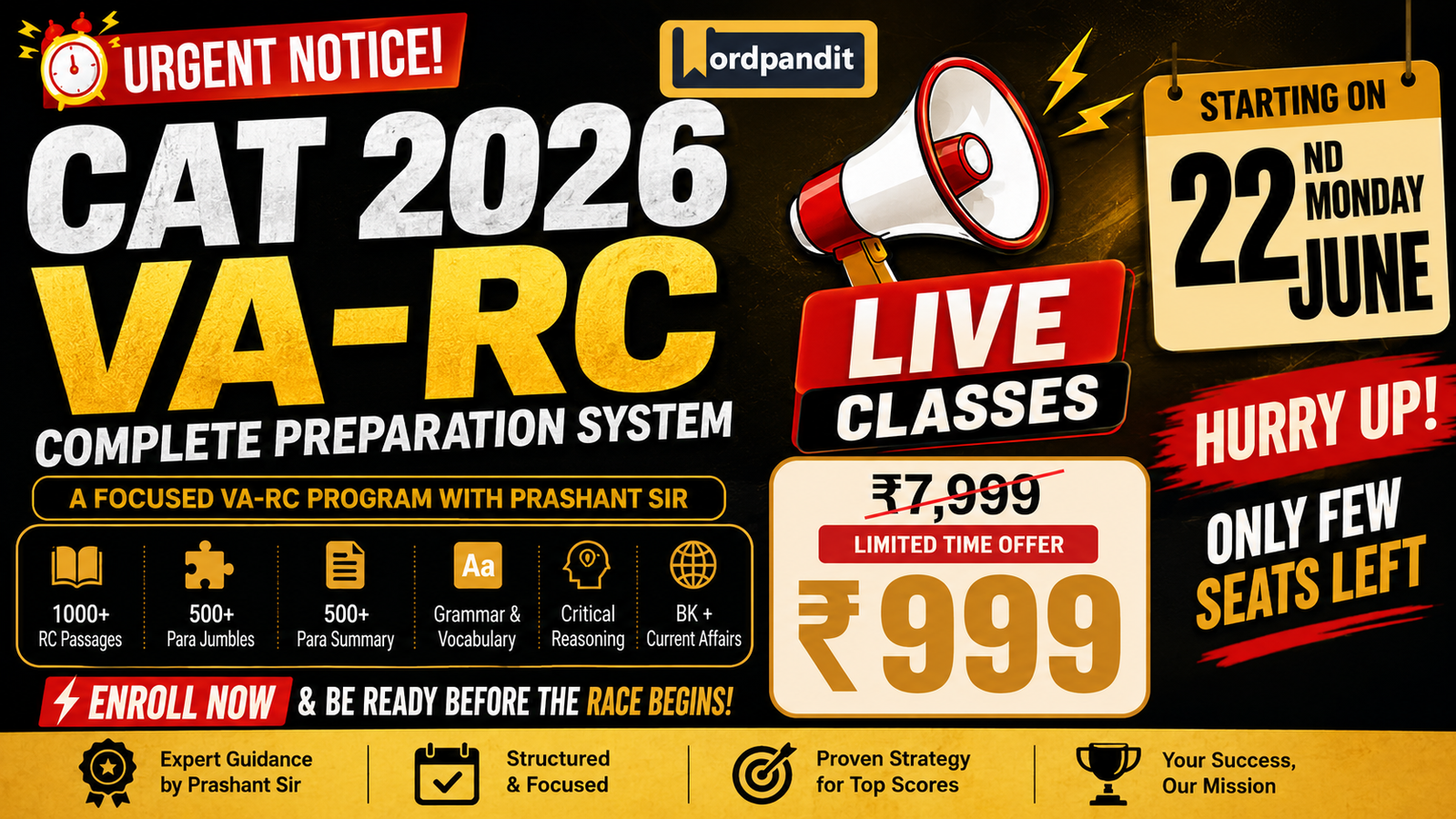
The Ultimate CAT-2026 VA-RC Course by Wordpandit

Why You Zone Out While Reading (and the AI Prompts to Fix It)

C030 🎯 AI Reading Coach 2 Prompts

Why You Zone Out While Reading (and the AI Prompts to Fix It)

Diagnose why you zone out and fix it: AI prompts for attention checkpoints and comprehension recovery.

5 min read Focus Recovery Guide 4 of 8
PR035 The Comprehension Check-In
Mid-reading attention checkpoint
I’m reading this text: “[paste passage]” My current understanding: [what you think it means] My confidence level: [high/medium/low] Help me check my comprehension: – Is my understanding accurate? – What signals should tell me if I’m on track or lost? – What should I re-read or look up? – What fix-up strategies would help here?
PR036 The “Where Did I Get Lost?” Diagnostic
After realizing you’ve lost the thread
I was reading this: “[paste passage]” I got lost around here: “[specific part]” Help me diagnose the problem: – Is it vocabulary I don’t know? – Is it a concept I lack background for? – Is it the sentence structure/syntax? – Is it an unclear reference or pronoun? – What should I do to get back on track?
β–Ά Watch This Guide
🧠
Train Your Focus Daily 365 articles with built-in checkpoints β€” develop attention muscles through consistent practice.
Explore Course β†’

The Four Causes of Zoning Out

You’ve read two pages and suddenly realize you can’t remember a single thing. Your eyes moved, but your mind was elsewhere. This happens to everyone β€” the question is why, and what to do about it.

Stop zoning out while reading starts with understanding the cause. There are four main culprits:

1. Text too easy (boredom): Your brain needs challenge to stay engaged. When material is too simple, attention wanders to find something more stimulating. Fix: Increase reading speed, or switch to more challenging material.

2. Text too hard (cognitive overload): When every sentence requires effort, working memory gets overwhelmed and shuts down. Your eyes keep moving but processing stops. Fix: Slow down, break into smaller chunks, or get background context first.

3. Missing background knowledge: You understand individual sentences but can’t connect them into meaning because you lack the conceptual framework. Fix: Identify what you’re missing and fill the gap before continuing.

4. External/internal distractions: Environment (noise, notifications) or internal state (stress, hunger, fatigue) steals attention. Fix: Control environment and read when your energy matches the text difficulty.

Attention Checkpoints: PR035

The best way to improve focus while reading is to build in checkpoints before zone-outs happen. The Comprehension Check-In (PR035) creates forced pause points where you verify understanding.

At the end of each paragraph or section, pause and articulate: “What did I just read? What’s my confidence level?” If you can’t answer, you’ve likely zoned out. The prompt helps you check accuracy and identify what to re-read.

The key is honest self-assessment. Many readers overestimate comprehension. Rating your confidence (high/medium/low) before checking creates calibration β€” over time you learn which texts and conditions lead to zone-outs.

For active reading prompts that engage you paragraph-by-paragraph, see C008. For a full mid-reading self-test system, see C034.

πŸ’‘ Pro Tip

Set a timer for 5 minutes. When it rings, pause and check comprehension. If you’re on track, reset and continue. If you’ve zoned out, use PR036 to diagnose why. This externalizes the checkpoint until it becomes automatic.

Recovery Prompt: PR036

When you’ve already zoned out, PR036 diagnoses why. Instead of just re-reading (which often leads to zoning out again), identify the specific breakdown:

Vocabulary: Did an unfamiliar word derail you? Look it up, then re-read with understanding.

Background knowledge: Is the author assuming context you don’t have? Search for a quick primer on the topic.

Syntax: Is the sentence structure itself confusing? Try breaking the sentence into simpler parts.

References: Did you lose track of who “they” or “it” refers to? Scan back for the referent.

The diagnosis determines the fix. Re-reading without diagnosis usually fails because you hit the same obstacle again.

πŸ“Œ Prevention vs Recovery

PR035 prevents zone-outs through regular checkpoints. PR036 recovers from zone-outs through diagnosis. Use both: frequent light checkpoints (PR035) and deeper diagnostic when you’ve lost significant ground (PR036).

Building Attention Habits

Zoning out isn’t a character flaw β€” it’s a signal. Your brain is telling you something about the text, your state, or your approach. These active reading tips help you respond to that signal:

Match difficulty to energy: Read challenging material when you’re fresh. Save easy reads for low-energy times.

Question before reading: Generating questions creates an active search mode. You’re hunting for answers, not passively absorbing.

Shorten sessions: Better to read focused for 15 minutes than distracted for an hour. Take breaks before zone-outs happen.

Remove friction: Phone in another room. Close unnecessary tabs. Reading environment matters.

For the complete coaching system, return to the AI Reading Coach pillar or explore the full AI for Reading hub.

Frequently Asked Questions

Four common causes: the text is too easy (boredom), too hard (cognitive overload), you lack background knowledge (missing context), or external/internal distractions. Identifying which one helps you fix it.
For difficult text, check every paragraph or after each major point. For moderate difficulty, check every page or section. For easy material, a quick check at the end of each chapter is enough. Increase frequency when you notice zone-outs.
Zoning out means your attention wandered β€” you read words but didn’t process them. Not understanding means you were paying attention but the content didn’t make sense. Both require different fixes: attention recovery vs. comprehension support.
Regular comprehension checkpoints (PR035) create built-in attention anchors that make zoning out less likely. Active reading prompts that generate questions before reading also help because you’re hunting for answers, not passively absorbing.
πŸ“š The Ultimate Reading Course

Never Zone Out Again

365 articles with built-in checkpoints and active reading triggers β€” train your attention daily.

Start Learning β†’
1,098 Practice Questions 365 Articles with Analysis 6 Courses + Community

4 More Coach Guides Await

Diagnostics, progress tracking, strategy advising, and more comprehension checks.

AI Reading Coach Pillar

What’s Missing? Find Gaps, Unsaid Assumptions & Alternatives

C044 βš–οΈ Critical Reading 2 Prompts

What’s Missing? Find Gaps, Unsaid Assumptions & Alternatives

Surface what articles leave out: missing context, ignored stakeholder perspectives, unconsidered alternatives, and what a skeptical reader would notice.

6 min read Gap Analysis Guide 4 of 5
PR013 The “Read Between the Lines” Prompt
Use to surface subtext & what’s being avoided
Here’s a passage: “[paste passage]” What’s the subtext? Help me understand: – What is the author’s attitude toward the subject (even if not stated)? – What audience assumptions is the author making? – What’s being downplayed, avoided, or glossed over? – What would a skeptical reader notice?
PR020 The Assumption Hunter
Use to find hidden premises & ignored alternatives
Here’s an argument or claim: “[paste passage]” Find the hidden foundations: – What must I already believe for this argument to be persuasive? – What evidence is presented vs. assumed? – What alternative explanations does the author not consider? – What group of readers would find this convincing, and who wouldn’t? Why?
β–Ά Watch This Guide
πŸ”
Train Your Gap-Detection Instinct The Ultimate Reading Course includes 365 articles with expert analysis β€” learn to see what’s missing before AI tells you.
Explore Course β†’

The Types of Missing Context

Every article is a choice about what to include and what to leave out. Word limits force exclusion. Deadlines prevent depth. Sometimes the omissions are innocent; sometimes they shape your conclusions. Understanding what is missing from this article is as important as understanding what’s there.

Missing context comes in predictable categories:

Historical context: What happened before this? Many articles present situations as if they emerged fully formed. A policy debate makes more sense when you know what was tried before and why it failed.

Stakeholder perspectives: Who’s affected but not quoted? Articles about education policy might interview administrators and politicians but not teachers or students. Every absent voice is a potential gap.

Alternative explanations: What else could explain this? If an article claims X causes Y, what other factors might be involved? Correlation-as-causation errors hide in missing alternatives.

Counterarguments: What would critics say? Strong arguments anticipate objections. Weak arguments pretend objections don’t exist.

Conflicting data: Does other evidence point differently? Articles often cite studies that support their angle. But research landscapes are messy.

Key Insight

The question isn’t whether something is missing β€” something always is. The question is whether what’s missing would change your conclusion if you knew it.

How the Prompts Work Together

PR013 (Read Between the Lines) and PR020 (Assumption Hunter) approach gaps from different angles. Use both for a complete analysis.

PR013 surfaces subtext β€” what the author is really saying beneath the surface. It identifies the author’s unstated attitude, the audience the piece assumes, what’s being downplayed, and what a skeptical reader would notice.

PR020 excavates foundations β€” what you must already believe for the argument to work. It separates presented evidence from assumed evidence, identifies alternative explanations the author ignores, and predicts which readers will find the argument convincing versus unconvincing.

Start with PR013 to understand tone and subtext. Follow with PR020 to stress-test the logical structure. Together, they create a comprehensive gap analysis.

Follow-Up: What to Do with Gaps

Prioritize by impact. Not all gaps matter equally. A missing stakeholder perspective might be interesting but not change the core argument. A missing alternative explanation might completely undermine it. Ask: if I knew this, would it change my conclusion?

Research strategically. Once you’ve identified gaps, you have a reading list. Look for articles that cover the missing perspectives, cite the conflicting studies, or address the counterarguments.

Adjust confidence accordingly. Articles with major gaps shouldn’t be dismissed β€” but your confidence in their conclusions should decrease.

πŸ’‘ Pro Tip

After running both prompts, ask AI: “Based on the gaps and assumptions you identified, what one question would most effectively test whether this article’s main conclusion is valid?” This synthesizes the gap analysis into a single actionable verification target.

When to Use Gap Analysis

Persuasive writing: Opinion pieces, editorials, advocacy content, and marketing materials all try to shape your view. They have the strongest incentive to omit inconvenient information.

News analysis: Unlike straight news reporting, analysis pieces interpret events. The interpretation depends on what context is included or excluded.

Policy arguments: Policy debates involve tradeoffs. Articles often emphasize benefits while downplaying costs β€” or vice versa.

High-stakes decisions: If you’ll act on information, verify it’s complete enough to support that action.

Continue to the final guide in this pillar: The Assumption Hunter (C045) for a deep dive into finding and classifying hidden premises. Explore all tools in the Critical Reading pillar.

Frequently Asked Questions

Ask: if I knew this missing information, would it change my conclusion? Missing stakeholder perspectives matter if those stakeholders have different experiences. Missing alternative explanations matter if they’re plausible. Missing counterarguments matter if they’re strong.
PR013 (Read Between the Lines) finds subtext β€” the author’s unstated attitude, what’s being avoided, what a skeptical reader would notice. PR020 (Assumption Hunter) finds logical gaps β€” what you must believe, what’s assumed vs proven, what alternatives are ignored. Use both for complete analysis.
No β€” focus on persuasive writing, high-stakes decisions, and content you might act on. For casual reading, technical documentation, or straightforward informational content, gap analysis may be overkill. Save your skepticism for when it matters.
Prioritize by impact, then research the high-priority gaps using the Compare Two Articles (C041) or Fact-Check Mode (C042) guides. Adjust your confidence in the article’s conclusions accordingly β€” don’t dismiss, but calibrate.
πŸ“š The Ultimate Reading Course

See What’s Not There

365 articles with expert analysis β€” train your gap-detection instinct across diverse topics and writing styles.

Start Learning β†’
1,098 Practice Questions 365 Articles with Analysis 6 Courses + Community

One More Critical Reading Guide Awaits

You’ve learned gap analysis. The final guide β€” The Assumption Hunter β€” takes you deep into hidden premises.

All Critical Reading Guides

Vocabulary-in-Context Prompt Pack: Learn Words Without Flashcard Grind

C006 πŸ“‹ AI Reading Prompts 6 Prompts

Vocabulary-in-Context Prompt Pack: Learn Words Without Flashcard Grind

6 prompts for vocabulary that sticks: contextual definitions, collocations, tone analysis, and usage practice from any text.

7 min read 6 Prompts Guide 6 of 8
PR019 The “Words I Should Know” Identifier
Use to prioritize vocabulary learning
Here’s a passage I’m reading: “[paste passage]” Identify vocabulary I should pay attention to: – Which words are central to understanding this passage? – Which words might appear in similar texts on this topic? – Which words have specialized meanings in this context vs. everyday use? – Rank them by importance for comprehension.
PR015 The Contextual Word Explorer
Use when meaning seems context-dependent
In this sentence: “[paste sentence]” The word “[word]” is used. Don’t just define it. Help me understand: – What does it mean in THIS specific context? – What connotations or tone does it carry here? – What other words could the author have used, and why this one? – How does this word choice affect meaning or tone?
PR016 The Vocabulary Web Builder
Use to build deep understanding of a word
I encountered the word “[word]” in this passage: “[paste passage]” Build a vocabulary web: – Core meaning and etymology (briefly) – 3 related words with subtle differences explained – 2 contexts where this word fits perfectly – 2 contexts where it would be wrong (and why) – One sentence I could write using this word naturally
PR017 The Phrase Unpacker
Use for idioms, phrases, or expressions
This phrase appears in my reading: “[phrase or idiom]” Full context: “[paste surrounding sentences]” Unpack this phrase: – Literal vs. intended meaning – Origin or common usage pattern – What work is this phrase doing in the passage? – How would the meaning shift if stated more directly?
PR018 The Tone Decoder
Use to understand how words create tone
Here’s a passage: “[paste passage]” Identify 3-5 specific word choices that establish the author’s tone. For each: – What’s the word? – What’s the neutral alternative? – What tone/attitude does the chosen word convey? – What does this tell me about the author’s stance?
PR058 The Collocation Builder
Use to learn natural word combinations
I want to learn how to use this word naturally: “[word]” From this context: “[paste passage where you found it]” Build my collocation knowledge: – What words commonly appear BEFORE this word? – What words commonly appear AFTER this word? – What verbs typically go with this noun (or vice versa)? – Give me 3 natural sentences showing different collocations – What combinations would sound awkward or wrong?
β–Ά Watch This Guide
πŸ“š
Build Vocabulary Through Real Reading 365 articles with rich vocabulary in context β€” the best way to learn words that stick.
Explore Course β†’

Pick the Right Words to Learn

The biggest mistake in vocabulary building? Trying to learn every unfamiliar word. You’ll burn out, forget most of them, and miss the ones that actually matter.

The vocabulary in context prompt approach starts with triage. The “Words I Should Know” prompt (PR019) asks AI to identify which words in a passage are central to comprehension, likely to appear in similar texts, and have specialized meanings worth learning.

This gives you a prioritized list instead of a random collection. A good rule: focus on 3-5 words per article and learn them deeply. That’s sustainable. Twenty highlighted words you’ll forget by tomorrow is not.

Define in Context, Not in Isolation

Dictionary definitions are starting points, not destinations. The word “critical” means something different in “critical error,” “critical thinking,” and “critical acclaim.” Context determines meaning.

The Contextual Word Explorer (PR015) goes beyond dictionary lookup. It asks: what does this word mean here? What connotations does it carry? Why did the author choose this word over alternatives? How does it affect tone?

This is contextual vocabulary learning β€” understanding words as they function in real usage, not as isolated definitions. Research consistently shows this leads to better retention and more natural usage than flashcard drilling.

πŸ’‘ Pro Tip

When you find a word worth learning, paste the entire sentence (not just the word) into your prompts. Context is the whole point β€” losing it defeats the purpose.

Build Word Webs, Not Word Lists

Isolated words float in memory with nothing to anchor them. Connected words stick because they’re part of a network.

The Vocabulary Web Builder (PR016) creates these connections: related words with subtle differences explained, contexts where the word fits perfectly, contexts where it would be wrong, and a practice sentence you could write yourself.

For example, learning “ubiquitous” as part of a network with “pervasive,” “omnipresent,” and “widespread” β€” understanding when each fits and when it doesn’t β€” is far more useful than memorizing “ubiquitous = existing everywhere.”

Master Collocations for Natural Usage

Collocations are words that naturally go together. Native speakers know that you “make a decision” not “do a decision,” that rain is “heavy” not “strong,” that you “catch a cold” not “get a cold.”

The Collocation Builder (PR058) maps these patterns: what words come before, what words come after, what verbs pair with nouns. This is what separates technically correct language from fluent, natural usage.

When you learn a new word, learning its collocations is as important as learning its meaning. Knowing what “profound” means is useless if you don’t know you can have a “profound impact” but not a “profound amount.”

πŸ“Œ The Vocabulary Learning Workflow

1. Use PR019 to identify which words matter. 2. Use PR015 to understand contextual meaning. 3. Use PR016 to build word connections. 4. Use PR058 to learn collocations. 5. Write your own sentence using the word. This workflow creates deep knowledge that flashcards can’t match.

Decode Phrases and Tone

Not all vocabulary is single words. Idioms, phrases, and fixed expressions carry meaning that their individual words don’t predict. “Break the ice” has nothing to do with ice. “By and large” makes no literal sense.

The Phrase Unpacker (PR017) handles these: literal vs. intended meaning, origin, what work the phrase is doing in the passage, and how meaning would shift if stated directly.

The Tone Decoder (PR018) reveals how word choices create attitude. Authors don’t just communicate information β€” they signal stance through diction. Understanding this turns passive reading into active analysis.

Usage Practice β€” The Final Step

Every prompt in this pack ends with usage practice: write a sentence using the word naturally. This step is non-negotiable.

Recognition is not the same as recall. You might recognize a word when reading but be unable to use it when writing. Active production β€” actually using the word β€” bridges this gap.

After generating your practice sentence, check it with AI: “Does this sentence use [word] naturally and correctly?” This catches errors before they become habits.

For more vocabulary tools, see the glossary from article prompt and the jargon translator. The full AI Reading Prompts Library has prompts for every comprehension skill.

Frequently Asked Questions

Context gives you usage patterns, connotations, and collocations that flashcards miss. A word in isolation is just a definition; a word in context is knowledge you can actually use. Research shows contextual learning leads to better retention and more natural usage.
Use the ‘Words I Should Know’ prompt (PR019) to identify words that are central to comprehension, likely to appear in similar texts, or have specialized meanings in this context. This gives you a prioritized list instead of randomly highlighting unfamiliar words.
Collocations are words that naturally go together β€” ‘make a decision’ not ‘do a decision’, ‘heavy rain’ not ‘strong rain’. Learning collocations is what separates fluent usage from technically correct but awkward language. The Collocation Builder prompt (PR058) maps these patterns.
Quality over quantity. Focus on 3-5 words per article and learn them deeply β€” contextual meaning, related words, collocations, and practice sentences. This builds lasting knowledge, unlike the shallow exposure of highlighting 20 words you’ll forget by tomorrow.
πŸ“š The Ultimate Reading Course

Vocabulary That Sticks Through Real Reading

365 articles with rich vocabulary in context β€” the natural way to expand your word knowledge.

Start Learning β†’
1,098 Practice Questions 365 Articles with Analysis 6 Courses + Community

2 More Prompt Guides Await

You’ve mastered vocabulary prompts. Next, explore the SQ3R method and active reading techniques.

All AI Reading Prompts

Turn Any Article into Cornell Notes with AI

C021 πŸ“ Notes & Memory 1 Prompt

Turn Any Article into Cornell Notes with AI

AI-powered Cornell notes: main notes, cue column questions, and summary section generated from any article.

5 min read 3-Section Output Guide 1 of 5
PR030 Cornell Notes Generator
To create study-ready notes from any reading
Here’s an article I want to turn into Cornell notes: “[paste article]” Create Cornell-style notes with three sections: **MAIN NOTES (Right Column):** – Key points, facts, and ideas from the article – Use bullet points, keep each point concise – Include examples and evidence where relevant **CUE COLUMN (Left Column):** – Questions that the main notes answer – Keywords or phrases that trigger recall – One cue per main point or group of points **SUMMARY (Bottom):** – 2-3 sentences capturing the core message – Written as if explaining to someone who hasn’t read it
β–Ά Watch This Guide
πŸ“
Build Your Note-Taking Practice 365 articles designed for comprehension β€” perfect material for building Cornell notes skills.
Explore Course β†’

The Cornell Format Explained

Walter Pauk developed the Cornell notes method at Cornell University in the 1950s. It’s survived six decades because it works β€” the format builds review and self-testing directly into the note-taking process.

A Cornell note page has three sections. The main notes column (right side, about 2/3 of the page) captures key points during reading. The cue column (left side, about 1/3) holds questions and keywords added after reading. The summary section (bottom) distills everything into 2-3 sentences.

The magic is in the cue column. Those questions transform your notes from a passive record into an active recall tool. Cover the main notes, read a cue question, try to answer from memory. This simple practice β€” called retrieval practice β€” dramatically improves retention compared to re-reading.

AI accelerates the process. Instead of manually creating cue questions after reading, you get all three sections instantly. Your job shifts from creation to curation: refine the questions, add your own connections, rewrite the summary in your voice.

The Cornell Notes Prompt

The Cornell notes prompt (PR030) asks AI to structure any article into the three-section format. It produces main notes as concise bullet points, cue questions that match each point, and a summary written for someone who hasn’t read the original.

The output gives you a complete first draft. But the learning happens when you edit it. Rewrite cue questions using your own language β€” questions you write yourself trigger memory better than questions someone else wrote. Add connections to things you already know. Rewrite the summary without looking at the AI’s version.

This is the key principle: AI handles extraction, you handle encoding. The AI can identify what’s important faster than you can. But only you can connect it to your existing knowledge, phrase it in words that stick for you, and actively retrieve it during review.

πŸ’‘ Pro Tip

After generating Cornell notes, immediately cover the main notes column and try answering each cue question. This “test yourself on day one” practice catches gaps in understanding before they become gaps in memory.

Example: Cornell Notes in Action

Say you read an article about cognitive load theory. Here’s what the output might look like:

MAIN NOTES (Right Column):

β€’ Working memory holds 4Β±1 chunks at once
β€’ Three types: intrinsic (material complexity), extraneous (poor design), germane (learning effort)
β€’ Reduce extraneous load first β€” it’s “waste”
β€’ Intrinsic load can’t be reduced, only managed through sequencing
β€’ Germane load is good β€” it’s actual learning happening

CUE COLUMN (Left Column):

β€’ How much can working memory hold?
β€’ What are the three types of cognitive load?
β€’ Which type should be reduced first?
β€’ Can intrinsic load be eliminated?
β€’ Why is germane load “good”?

SUMMARY (Bottom):

Cognitive load theory explains why learning fails when working memory is overwhelmed. Designers should minimize extraneous load (distractions, poor formatting) while accepting intrinsic load (material difficulty) and maximizing germane load (actual thinking about content).

Notice how each cue question maps to specific notes. During review, you’d cover the right column, read “What are the three types of cognitive load?”, try to recall all three, then check your answer.

πŸ“Œ The Review Workflow

1. Generate Cornell notes immediately after reading. 2. Edit cue questions in your own words. 3. Test yourself by covering notes and answering cues. 4. Review within 24 hours, then at Day 3 and Day 7. 5. Rewrite the summary from memory on final review.

When to Use Cornell vs. Other Note Systems

Use Cornell notes when: You need to study and review material. The cue column makes review active, not passive. Ideal for academic articles, technical content, or anything you need to remember.

Use flashcards when: You need to memorize discrete facts or want to use a spaced repetition app. See Flashcards from Reading (C022).

Use Zettelkasten when: You’re building a permanent knowledge base organized by concept rather than source. See Zettelkasten from Highlights (C023).

Explore more note-taking systems in the Notes & Memory pillar or return to the AI for Reading hub.

Frequently Asked Questions

Cornell notes divide a page into three sections: a wide right column for main notes during reading, a narrow left column for cue questions added after reading, and a summary section at the bottom. The cue column transforms passive notes into an active recall tool β€” cover the notes, read the questions, and test yourself.
AI generates the structure instantly, freeing you to focus on review and refinement. The real learning happens when you use the cue column for self-testing and rewrite the summary in your own words. AI handles the extraction; you handle the encoding.
Cover the right column (main notes) with a piece of paper. Read each cue question in the left column and try to answer it from memory. Check your answer against the notes. This active recall is far more effective than re-reading. Review within 24 hours, then at increasing intervals.
Yes β€” always. The AI gives you a solid first draft, but editing is where learning happens. Rewrite cue questions in your own words, add connections to things you already know, and rewrite the summary without looking at the original. This processing cements the material in memory.
πŸ“š The Ultimate Reading Course

Notes Are Step One. Mastery Is the Goal.

Practice building Cornell notes on diverse, challenging content. Develop the skills that turn reading into lasting knowledge.

Start Learning β†’
1,098 Practice Questions 365 Articles with Analysis 6 Courses + Community

4 More Note-Taking Guides Await

You’ve mastered Cornell notes. Next, explore flashcards, Zettelkasten, reading journals, and spaced recall systems.

Notes & Memory Pillar

Turn an Article into an Action Memo

C047 πŸ’Ό Reading for Work 1 Prompt

Turn an Article into an Action Memo

Stop summarizing. Start deciding. This prompt transforms any article into a memo with the decision, key facts, risks, options, and next steps β€” ready to share.

5 min read 1 Prompt Included Guide 1 of 6
PR043 Business/Report Reader
Use to extract decision-ready takeaways
I’m reading a business report or case study: “[paste excerpt]” Help me extract value: – What’s the key takeaway for decision-making? – What data matters vs. what’s noise? – What assumptions underlie the analysis? – What questions should I ask before acting on this?
πŸ’Ό
Practice Business Reading on Real Articles The Ultimate Reading Course includes 365 articles from business, economics, and policy β€” the kind of material these prompts are designed for.
Explore Course β†’

Why Summaries Fail at Work (And What to Do Instead)

You’ve read the article. You understood it. But when your manager asks “so what should we do?” β€” you freeze. The problem isn’t comprehension. It’s that summaries answer the wrong question.

A summary tells you what the article says. An action memo tells you what to do about it. That shift β€” from passive understanding to active decision-making β€” is what separates useful reading from wasted time.

The prompt above (PR043) forces AI to extract decision-relevant information: the key takeaway, which data matters, what assumptions are baked in, and what questions remain unanswered. That’s the raw material for a memo that actually moves things forward.

The Anatomy of an Action Memo

Every action memo needs five components. When you use PR043, you’re gathering the inputs for each:

The Decision β€” What choice are we facing? This comes from understanding the key takeaway and why it matters to your context.

Key Facts β€” The 3-5 data points that anyone making this decision needs to know. PR043’s “what data matters vs. noise” question isolates these.

Risks β€” What could go wrong? The “assumptions” question surfaces hidden dependencies and blind spots.

Options β€” What are the alternatives? The “questions to ask” output often reveals paths the article didn’t explicitly cover.

Recommendation β€” What do you think we should do? This is where you add your judgment to AI’s analysis.

⚑ Pro Tip

After running PR043, follow up with: “Now format this as a one-page memo for [specific audience], with a clear recommendation in the first paragraph.” This structures the output for immediate use.

How to Use the Prompt (Step by Step)

Skim the article first. Understand what it’s about and why it landed on your desk. You need context to evaluate AI’s output.

Copy the full text. Paste it into ChatGPT, Claude, or your preferred AI. Don’t share just a URL β€” paste the actual content.

Add your context. Before or after the prompt, tell AI who the memo is for and what decision is at stake. Example: “This memo is for our product team deciding whether to enter the European market.”

Run PR043. Let AI extract the decision-relevant components.

Build the memo. Use AI’s output to draft your five-part structure. Add your own recommendation based on factors AI can’t know (budget, team capacity, strategic priorities).

πŸ’‘ Real-World Example

You read an industry report on supply chain disruptions. Running PR043 gives you: the key takeaway (diversification reduces risk but costs 15% more), the relevant data (3 supplier failures in Q2 among single-source companies), the assumptions (assumes current geopolitical stability continues), and the questions (what’s our current supplier concentration?). Your memo now has everything it needs β€” you just add the recommendation based on your company’s risk tolerance.

When to Use an Action Memo vs. Other Formats

Not every piece of reading needs a full memo. Here’s when the action memo format earns its overhead:

Use an action memo when reading feeds a decision that involves multiple stakeholders, tradeoffs, or significant resources. The structure forces clarity.

Use an executive summary when leadership needs to be informed but isn’t the decision-maker. Summaries update; memos request action.

Use talking points when you need to discuss the reading verbally, not document it. Talking points are oral; memos are written records.

The Reading for Work pillar covers all these formats with dedicated prompts.

⚠ Important Limitation

AI can extract and structure, but it can’t make the final call. Your recommendation should incorporate factors AI doesn’t have access to: organizational politics, budget constraints, team morale, and strategic priorities. Use AI for the analysis leg work, but own the decision.

Next Steps: Build Your Work Reading Stack

The action memo is the cornerstone of professional reading β€” but it’s not the only format you need. Explore the rest of the Reading for Work pillar to add meeting prep, stakeholder updates, and decision matrices to your toolkit.

Frequently Asked Questions

Use the Action Memo prompt to extract the decision point, key facts, risks, and recommended next steps from any article. The structured output gives you a ready-to-share document instead of raw notes.
A summary compresses content. An action memo translates content into decisions β€” it answers “so what do we do about this?” with specific options, tradeoffs, and recommendations.
AI can draft the structure and pull key facts, but you need to add context about your organization’s priorities and verify the recommendation makes sense. Think of AI as the first draft, not the final word.
After generating your action memo, ask AI to extract 3-5 talking points for a specific audience. Each point should be one sentence that answers “why should they care?” See our Meeting Prep Prompt for a dedicated workflow.
πŸ“š The Ultimate Reading Course

From Reading to Results

These prompts turn reading into decisions. The course gives you 365 articles with RC questions, expert analysis, and structured practice β€” the material to make business reading second nature.

Start Learning β†’
1,098 Practice Questions 365 Articles with Analysis 6 Courses + Community

5 More Work Reading Guides Await

You’ve added the Action Memo to your toolkit. Next, learn meeting prep, stakeholder updates, decision matrices, competitive intel, and research briefs β€” all with copy-paste prompts.

All Reading for Work Guides

Track Reading Progress with a 0-5 Rubric

C032 🎯 Reading Coach 2 Prompts

Track Reading Progress with a 0-5 Rubric

A simple rubric across 5 dimensions plus AI prompts to generate weekly progress reports and optimize your reading speed.

6 min read 5-Dimension Rubric Guide 2 of 4
PR038 The Self-Assessment Calibrator
Verify your self-ratings match reality
After reading this passage: “[paste passage]” I would rate my understanding as [X/10]. Help me calibrate: – Ask me 3-4 questions to test whether my self-rating is accurate – Based on my answers, tell me if I’m overconfident, underconfident, or well-calibrated – What specifically should I review if my confidence was misplaced?
PR059 The Reading Speed Optimizer
Balance speed vs comprehension
I’m concerned about my reading speed vs. comprehension balance. Here’s a passage I just read: “[paste passage]” Time taken: [estimate] My comprehension: [what you understood] Help me optimize: – Based on the passage complexity, was my speed appropriate? – What slowed me down unnecessarily? – What techniques could help me read faster WITHOUT losing comprehension? – Give me a practice exercise to try with the next paragraph.
β–Ά Watch This Guide
πŸ“Š
Built-In Progress Tracking 365 articles with comprehension questions β€” see your skills improve week over week.
Explore Course β†’

The 0-5 Reading Rubric

Most people have no idea if their reading is improving. They read, they forget, they repeat. A reading progress tracker changes that β€” you can’t improve what you don’t measure.

The 0-5 rubric works because it forces clarity. With a 10-point scale, people cluster around 6-7 without meaning. With 5 points, each level represents a distinct state:

0 β€” Didn’t understand: Couldn’t extract the main idea. Need to re-read or get help.
1 β€” Struggling: Got fragments but missed the core argument.
2 β€” Partial: Understood the surface but missed nuance.
3 β€” Adequate: Got the main points, could explain to someone.
4 β€” Strong: Understood deeply, could answer questions.
5 β€” Mastery: Could teach this, noticed patterns others miss.

Five Dimensions to Track

Track these five areas independently β€” they don’t always move together:

Comprehension: Did you understand what you read? (Use PR038 to verify.)

Speed: Are you reading efficiently for the material type? (Use PR059 to optimize.)

Retention: Do you remember key points a day later? A week later?

Focus: Could you stay engaged, or did you zone out repeatedly?

Application: Can you use what you learned in other contexts?

πŸ’‘ Pro Tip

Rate each dimension after every reading session. Weekly, calculate your averages. Month over month, you’ll see which areas are improving and which need attention.

Using the Speed Optimizer (PR059)

Reading speed matters, but only in context. Speed without comprehension is skimming. Comprehension at glacial pace is inefficient. The goal is the fastest speed that maintains your target comprehension level.

PR059 helps you find that balance. Paste a passage, note your time and comprehension, and get feedback on whether you could have read faster, what slowed you down, and techniques to try.

Common speed bottlenecks the prompt catches include subvocalization (reading aloud in your head), regression (re-reading unnecessarily), word-by-word reading (instead of chunking), and lack of preview (starting cold instead of surveying first).

πŸ“Œ Weekly Progress Review

At week’s end, review your rubric scores across all five dimensions. Which improved? Which declined? What patterns emerge? This data drives better practice decisions than gut feel.

Connecting to Other Tools

The progress tracker works best alongside other coaching tools:

Start with Reading Diagnostics (C031) to identify your baseline weaknesses.

Use the Strategy Advisor (C033) to get customized approaches for different text types.

Run Comprehension Check-Ins (C034) mid-reading to catch problems early.

Explore the full Reading Coach pillar or return to the AI for Reading hub.

Frequently Asked Questions

With 10 points, people cluster around 6-7 without meaningful differentiation. Five distinct levels force clearer assessment: 0 is total confusion, 5 is mastery, and the middle levels have specific meanings. Simpler scales produce more actionable data.
Rate after each significant reading session (5+ minutes of intentional reading). Calculate weekly averages. Review monthly trends. Daily tracking builds the habit; weekly review reveals patterns; monthly analysis guides strategy adjustments.
Check two things: First, are you reading material at the right difficulty? Too easy shows false improvement; too hard creates frustration. Second, are you applying specific strategies from the other coaching tools? Reading more without changing how you read rarely produces improvement.
Track comprehension and focus every session β€” they’re always relevant. Track speed when efficiency matters. Track retention with a 24-hour delay. Track application when you’re reading for practical use. Don’t let tracking overhead kill the practice.
πŸ“š The Ultimate Reading Course

Track Progress with Built-In Metrics

365 articles with comprehension questions β€” see your scores improve week over week.

Start Learning β†’
1,098 Practice Questions 365 Articles with Analysis 6 Courses + Community

Start Tracking Today

Create a simple spreadsheet with the 5 dimensions. Rate your next reading session. Begin building data that drives improvement.

Reading Coach Pillar

Timed Practice Simulator: Build Speed Without Losing Accuracy

C071 πŸŽ“ RC Exam Prep 1 Prompt

Timed Practice Simulator: Build Speed Without Losing Accuracy

Speed in RC doesn’t come from reading faster β€” it comes from reading smarter. This prompt structures your timed practice with optimal time allocation and AI-generated questions.

8 min read Time Management Guide 5 of 6
PR050 The Timed Practice Simulator
Use when practising time management in RC
Here’s a passage: “[paste passage]” I have approximately [X] minutes for this passage and its questions. Help me create a time-efficient approach: – How long should I spend reading vs. answering questions? – What should I note/remember during first read? – What can I safely not memorize (look up if needed)? – Give me 4-5 questions to answer, then evaluate my responses.
β–Ά Watch This Guide
⏱️
365 Passages. Timed Practice. Expert Analysis. The Ultimate Reading Course gives you the passage volume to build real speed β€” with questions, explanations, and structured drills.
Explore Course β†’

The Speed-Accuracy Paradox in RC

Every test-taker has faced this moment: you’re running out of time, you start rushing, and your accuracy collapses. You know the content. You understand the passage. But the clock turns a manageable task into a panicked one.

Most people practise RC without a timer and wonder why they struggle on exam day. Timed RC practice with AI changes this by giving you a structured training loop: attempt under pressure, generate fresh questions, get evaluated, and identify exactly where your time leaked.

Optimal Time Allocation by Exam

CAT (8-10 minutes per passage, 3-4 questions): Spend 90 seconds on the first read, then approximately 2 minutes per question. CAT passages have high conceptual density β€” capture structure and tone on first read, leave details as look-up items.

GMAT (6-8 minutes per passage, 3-4 questions): Spend 60-90 seconds reading, then 90 seconds per question. GMAT passages are shorter but questions are more precise.

GRE (10-12 minutes per passage, 4-6 questions): Spend 2 minutes reading, then about 2 minutes per question. GRE passages are longer and vocabulary-heavy.

⚑ The 30/70 Rule

Across all three exams: spend roughly 30% of your total time on the first read, 70% on answering questions. If you’re spending more than 40% of your time reading, you’re trying to memorise instead of mapping β€” and that’s where speed dies.

The First-Read Strategy That Creates Speed

Capture the main idea in one sentence. Not a summary. Not the topic. The claim the author is making.

Map the structure. Note where the passage shifts β€” where the author introduces a counterargument, where evidence begins, where the conclusion lands.

Read the author’s tone. Is the author supportive, critical, neutral? Identifying this during first read saves re-reading later.

Don’t memorise details. Statistics, dates, specific examples β€” these are look-up items. You need to remember which paragraph contains them, not the details themselves.

Continue to Difficulty Calibrator (C072) for the final guide in the RC Exam Prep pillar.

Frequently Asked Questions

Use PR050 to generate fresh questions for any passage. You can practise with articles from quality publications (The Economist, Atlantic, Scientific American) and have AI create exam-style questions. This preserves official questions for full-length mocks closer to exam day.
Not always. Early in your prep, focus on accuracy without time pressure. Once you’re getting 80%+ correct untimed, add time constraints. Mix both: some sessions for accuracy, some for speed. The goal is to eventually achieve accuracy under time pressure.
Track where your time goes. Most time leaks come from one of three places: re-reading the passage too often, deliberating between two answer choices, or spending too long on hard questions instead of marking and moving. Identify your leak, then target it specifically.
πŸ“š The Ultimate Reading Course

Build Real Speed With Real Volume

365 passages with 1,098 questions. Timed practice sets. Detailed analysis of where your time goes and how to reclaim it.

Start Learning β†’
1,098 Practice Questions 365 Articles with Analysis 6 Courses + Community

1 More RC Exam Prep Guide Awaits

You’ve learned timed practice. Next, master difficulty calibration β€” the final guide in the RC Exam Prep pillar.

All RC Exam Prep Guides

The Theme Synthesizer: Common Threads Across Sources

C059 🧩 Inference 1 Prompt

The Theme Synthesizer: Common Threads Across Sources

Reading five articles isn’t the same as understanding a topic. This prompt turns scattered sources into integrated insight β€” consensus, debate, and your own informed takeaway.

6 min read Multi-Source Guide 7 of 8
PR029 The Theme Synthesizer
Use after reading multiple sources on a topic
I’ve read several pieces on [topic]. Here are the main points from each: – Source 1: [key point] – Source 2: [key point] – Source 3: [key point] Help me synthesize: – What are the common threads? – What’s the emerging consensus (if any)? – What are the key debates or disagreements? – What’s MY takeaway after reading all of these?
β–Ά Watch This Guide
πŸ”—
Practice Synthesizing Multiple Sources The Ultimate Reading Course includes 365 articles β€” perfect material for practicing synthesis across diverse perspectives on the same topics.
Explore Course β†’

Why Reading Multiple Sources Isn’t Enough

You’ve read five articles about AI regulation. You remember bits from each β€” something about the EU, something about safety testing, something about open-source. But when someone asks “what’s the state of AI regulation?”, you can’t give a coherent answer. The information is there. The understanding isn’t.

This is the synthesis gap. Reading widely isn’t the same as understanding deeply. Synthesize themes from reading means finding the common threads, identifying where sources agree and disagree, and forming your own position β€” not just collecting facts.

The Theme Synthesizer (PR029) bridges that gap by forcing four specific questions: What patterns emerge? Where’s the consensus? Where’s the debate? And what do you think after reading all of this?

How to Use the Theme Synthesizer

The prompt works best with 3-5 sources on the same topic. Here’s how to get the most from it:

1. Extract one key point per source. Don’t paste entire articles. Summarize each source’s most important claim in 1-2 sentences. This forces you to identify what actually matters.

2. Be specific. “Source 1: AI is risky” is too vague. “Source 1: Current AI models lack robust alignment guarantees, creating unpredictable failure modes” gives AI something to work with.

3. Include diverse perspectives. If all your sources agree, you’re not really synthesizing β€” you’re confirming. Include at least one source that challenges the consensus.

4. Own the final question. “What’s MY takeaway” is the most important part. Synthesis isn’t about averaging opinions β€” it’s about forming your own informed view.

πŸ’‘ Pro Tip

After getting the synthesis, ask: “Given these patterns, what’s the one thing most readers miss about this topic?” This surfaces the insight that makes your reading worthwhile β€” not just what everyone already knows, but what becomes visible only after synthesis.

Common Threads vs Emerging Consensus

These sound similar but aren’t the same:

Common threads are topics that multiple sources discuss, even if they disagree. If five sources all mention “safety testing,” that’s a common thread β€” regardless of whether they think current testing is adequate.

Emerging consensus is where sources actually agree. Maybe four out of five sources agree that current testing is insufficient. That’s consensus forming β€” though the fifth source’s dissent is worth understanding.

The prompt asks for both because each reveals something different. Common threads show what the conversation is about. Consensus shows where it’s heading.

πŸ“Œ Example

Topic: Remote work policy

Common threads: All sources discuss productivity, collaboration, and employee preferences.

Consensus: Hybrid models are becoming dominant (4/5 sources). Pure remote or pure office are losing ground.

Key debate: Whether in-person time should be mandated or left to teams. Sources split on this.

My takeaway: The question isn’t remote vs office anymore β€” it’s how to structure hybrid well. That’s where the action is.

This prompt also appears in the Reading for Work pillar as part of the Research Brief guide (C052). Same prompt, different context β€” here for inference, there for professional deliverables.

Frequently Asked Questions

3-5 sources works best. Fewer than 3 doesn’t give enough perspectives. More than 5 makes summaries unwieldy. For larger research projects, synthesize in batches β€” do 5 sources at a time, then synthesize your syntheses.
Extract the single most important claim each source makes β€” what would you remember if you could only remember one thing? Keep it to 1-2 sentences. Be specific enough that someone could disagree with your summary.
Find at least one dissenting perspective before synthesizing. Agreement among similar sources isn’t the same as consensus β€” you might just be reading from the same echo chamber. The synthesis prompt surfaces debates, but only if you feed it diverse inputs.
Yes β€” PR029 appears in both the Inference pillar (here) and the Reading for Work pillar (C052). Same prompt, different contexts. Here we focus on building understanding; there we focus on creating professional deliverables from multi-source research.
πŸ“š The Ultimate Reading Course

Turn Multiple Sources into Integrated Understanding

365 articles with expert analysis give you the raw material to practice synthesis β€” finding patterns, consensus, and debate across diverse perspectives.

Start Learning β†’
1,098 Practice Questions 365 Articles with Analysis 6 Courses + Community

1 More Inference Guide Awaits

You’ve learned to synthesize themes. Next, connect your reading to the bigger picture with the “So What” Connector β€” the final prompt in the Inference pillar.

All Inference Guides

The ‘So What’ Connector: Why This Matters

C060 🧩 Inference 1 Prompt

The “So What” Connector: Reading to the Bigger Picture

Connect any passage to larger debates, real-world situations, your existing knowledge, and what to read next. The question that makes reading stick.

6 min read Relevance Finder Guide 8 of 8
PR027 The “So What” Connector
Use to connect reading to the bigger picture
I just read this: “[paste passage]” Connect it to the bigger picture: – What larger debate or conversation is this part of? – How does this connect to [topic I already know about]? – What real-world situations does this help me understand? – What should I read next to go deeper?
β–Ά Watch This Guide
πŸ”—
Practice Connecting Ideas to the Bigger Picture The Ultimate Reading Course includes 365 articles with RC questions β€” perfect for training yourself to ask “so what?” after every passage.
Explore Course β†’

The ‘So What’ Question: The Most Important Question Nobody Asks

You finish an article about declining bee populations. You understood it perfectly β€” the causes, the data, the proposed solutions. But ten minutes later, when someone asks what you’ve been reading, all you can say is “something about bees dying.” The information evaporated because it had nowhere to land in your mind.

This is what happens when you skip the so what prompt reading step. Understanding what something says is only half the job. The other half is understanding why it matters β€” connecting it to debates you care about, situations you face, and knowledge you already have.

The “So What” Connector (PR027) is the final prompt in the Inference pillar β€” and it’s here for a reason. After you’ve excavated inferences, traced implications, built frameworks, and resolved contradictions, the last question is always: what does any of this mean for real life?

How to Use the So What Connector

1. Finish reading and note the core idea. Write one or two sentences capturing what the author claimed or argued.

2. Fill in the bracket with a topic you know. This is the key. “How does this connect to [supply chain economics]?” gives more useful output than leaving it generic. The more specific, the more useful.

3. Run the prompt. AI identifies the larger debate, connects to your existing knowledge, surfaces real-world applications, and suggests next reads.

4. Follow one thread deeper. Pick the most interesting connection and pursue it. This is how casual reading becomes a knowledge web.

πŸ’‘ Pro Tip

Run the prompt twice with different topics in the bracket. Reading about declining bee populations? Try connecting once to “supply chain economics” and once to “urban planning.” You’ll get completely different β€” and equally valid β€” bigger pictures. Significance isn’t fixed. It depends on what you bring.

Levels of Connection

The connect to bigger picture skill has distinct levels:

Level 1: Category placement. “This article about CRISPR is part of the gene editing debate.” True, but obvious.

Level 2: Stakeholder mapping. “This matters to pharmaceutical companies, patient advocates, and regulators β€” each for different reasons.”

Level 3: Analogical connection. “The ethical questions here mirror the debates about nuclear energy in the 1960s.” This is where reading starts to compound.

Level 4: Personal application. “This changes how I think about the healthcare investments in my portfolio.” This is where reading meets life.

When AI gives you a Level 1 connection, push for more. Ask: “How does this specifically affect [your industry/your city/your current project]?”

⚠️ Watch Out

AI can generate connections that sound profound but don’t hold up. “This connects to the fundamental human need for meaning” isn’t a useful insight β€” it’s a platitude. Good connections are specific enough that they could be wrong.

Completing the Inference Loop

The So What Connector is the final guide in the Inference pillar. You’ve learned to find what’s implied (C053), bridge ideas (C054), read between lines (C055), extend implications (C056), build frameworks (C057), resolve contradictions (C058), and synthesize themes (C059).

The “so what” question ties it all together β€” because inference without relevance is just an academic exercise. Every time you ask “why does this matter?”, you’re training the skill that separates readers who consume from readers who think.

Explore the full AI for Reading hub for prompts that help at every stage β€” from simplifying complex text to preparing for competitive exams.

Frequently Asked Questions

The “so what” question asks why something matters β€” how it connects to larger debates, real-world situations, and your existing knowledge. It transforms understanding of what was said into understanding of why it’s significant.
Specificity produces better connections. “How does this connect to something I know?” is vague. “How does this connect to supply chain economics?” gives AI a target to hit. The more specific your existing knowledge, the more useful the connection.
Good connections are specific enough that they could be wrong. “This connects to human nature” isn’t challengeable β€” it’s a platitude. “This suggests that remote work policies will face resistance from middle management specifically” is specific, testable, and actionable.
Yes β€” fiction connects to real-world themes, historical contexts, and personal experiences. A novel about family dysfunction connects to psychology, generational patterns, and maybe your own family dynamics. The “so what” question applies wherever meaning exists.
πŸ“š The Ultimate Reading Course

You’ve Completed the Inference Pillar

All 8 guides mastered. Ready to practice on real articles? 365 passages with expert analysis await β€” the perfect material to make these skills automatic.

Start Learning β†’
1,098 Practice Questions 365 Articles with Analysis 6 Courses + Community

You’ve Completed the Inference Pillar

All 8 guides mastered: inference excavation, bridging, subtext, implications, frameworks, contradictions, synthesis, and the “so what” connection. Ready to explore other pillars?

All Inference Guides

The One Prompt to Stop Fluffy Answers from AI

C003 πŸ“‹ AI Reading Prompts 1 Prompt

The One Prompt to Stop Fluffy Answers from AI

Stop AI rambling with one constraint prompt: get precise, structured outputs without filler words or unnecessary repetition.

5 min read 1 Prompt Guide 3 of 8
PR055 The No-Fluff Output Constrainer
Use when AI gives verbose, padded responses
I need help understanding this text: “[paste text]” Give me a response with these constraints: – Maximum 5 bullet points – Each bullet under 20 words – No introductory phrases like “This passage discusses…” – No repetition of what I already pasted – End with exactly ONE actionable takeaway Format: Bullets only, no preamble, no summary paragraph.
β–Ά Watch This Guide
⚑
Get Tight, Actionable Insights from Real Articles The Ultimate Reading Course teaches you to extract what matters β€” 365 articles, zero fluff.
Explore Course β†’

Why AI Rambles (And Why It’s Your Fault)

You ask a simple question. AI responds with three paragraphs of context you didn’t need, two caveats you didn’t ask for, and a summary that repeats everything it just said. Sound familiar?

Here’s the uncomfortable truth: AI rambles because you let it. Without constraints, language models default to being thorough over useful. They’re trained to be helpful, and “helpful” often means comprehensive β€” even when comprehensive is the last thing you need.

The no fluff prompt solves this by adding explicit output constraints. Instead of hoping AI reads your mind about format, you tell it exactly what you want: how many points, how long each point, what to skip entirely.

This isn’t about making AI worse at explaining things. It’s about making it respect your time. A constrained response forces the model to prioritize β€” and prioritization is where the real value lives.

Output Constraints That Actually Work

The prompt above (PR055) combines several constraint types. Here’s why each one matters:

Maximum bullet points: Forces prioritization. “Maximum 5 bullets” means AI has to decide what’s most important, not dump everything and let you sort it out.

Word limits per point: Kills padding. “Under 20 words” eliminates phrases like “It’s important to note that” and “One key aspect to consider is” β€” the verbal filler that inflates responses without adding meaning.

No introductory phrases: Skips the preamble. “This passage discusses” adds zero information. Banning it gets you straight to content.

No repetition: Prevents the loop where AI restates your question, answers it, then summarizes the answer. You already know what you asked.

Exactly ONE actionable takeaway: Forces synthesis. Instead of ending with “In conclusion, this passage covers several important topics,” you get something you can actually do with the information.

πŸ’‘ Pro Tip

The phrase “Format: Bullets only, no preamble, no summary paragraph” is the most powerful part. It tells AI exactly what the response should look like β€” not just what it should contain.

Templates for Different Use Cases

The base prompt works for general reading help. Here are variations for specific situations:

For Quick Extraction

“Give me the 3 most important facts from this text. One sentence each. No context, no qualifications.”

For Decision Support

“Based on this text, give me: (1) One reason to proceed, (2) One risk to consider, (3) One thing I need to verify. Three lines total.”

For Learning

“What are the 4 concepts I must understand from this text? For each: name it, define it in under 15 words. That’s it.”

For Comparison

“Compare these two texts in exactly 5 ways. Format: ‘Aspect: Text A says X, Text B says Y.’ No analysis, just contrasts.”

Notice the pattern: every variation specifies what to output, how much, and what format. The more specific you are, the less AI improvises β€” and improvisation is where fluff creeps in.

Examples: Before and After

Let’s say you paste an article about climate policy and ask “What’s the main point?”

Without constraints: “This article discusses the complex interplay between economic development and environmental sustainability, examining how various stakeholders approach the challenge of reducing carbon emissions while maintaining growth. The author presents multiple perspectives, including those of policymakers, industry leaders, and environmental advocates. Key considerations include the role of technology, the importance of international cooperation, and the challenges of balancing short-term economic concerns with long-term environmental goals. In summary, the article suggests that addressing climate change requires a multifaceted approach that takes into account diverse interests and priorities.”

With the no-fluff prompt:

  • Main argument: carbon pricing works only with international coordination
  • Key evidence: unilateral carbon taxes cause industry relocation, not emission reduction
  • Author’s position: supports border carbon adjustments as compromise solution
  • Major caveat: developing nations need exemptions to maintain growth
  • Takeaway: Track your country’s carbon border policies in next year’s trade negotiations

Same information. Fraction of the words. Actual takeaway included.

πŸ“Œ When Constraints Backfire

Sometimes you actually need the nuance. If you’re studying for an exam or making a high-stakes decision, start with unconstrained exploration, then use constraints to distill what you’ve learned. Constraints are for refinement, not discovery.

Common Mistakes to Avoid

Mistake 1: Vague constraints. “Keep it short” means nothing. “Maximum 5 bullets, each under 20 words” is enforceable. Be specific.

Mistake 2: Too many constraints. If you specify 10 different formatting rules, AI will focus on compliance over content. Start with 3-4 constraints and add only if needed.

Mistake 3: Forgetting the format line. Constraints on content don’t guarantee format. Adding “Format: Bullets only, no preamble” at the end is what actually shapes the response structure.

Mistake 4: Not following up. If a constrained response misses something important, ask “What did you leave out to meet the constraints?” This gives you comprehensive coverage without the upfront bloat.

Combine this with the teach don’t summarize prompt when you want both conciseness and depth. Use the article understanding prompts when you need more exploratory help before constraining the output.

The full prompts library has templates for every reading scenario. But this one β€” simple output constraints β€” might save you more time than any other.

Frequently Asked Questions

Add explicit constraints to your prompt: maximum bullet points, word limits per point, no introductory phrases, and a required format. The No-Fluff Constrainer (PR055) combines all these into one template that forces tight, structured responses.
AI models are trained to be helpful and thorough, which often means verbose. Without constraints, they default to comprehensive responses with context, caveats, and summaries. Adding explicit format rules overrides this default behavior.
Absolutely. Adjust the number of bullets (3-7 works well), word limits (15-25 per bullet), and format requirements. You can also request tables, numbered lists, or single-paragraph responses depending on your need.
Constraints force AI to prioritize. You get the most important points without filler. If you need comprehensive coverage, you can always follow up with “What did you leave out?” or remove specific constraints.
πŸ“š The Ultimate Reading Course

Cut Through the Noise. Read What Matters.

365 articles. Zero fluff. Expert analysis that shows you how to extract what’s essential β€” the skill that makes AI constraints actually work.

Start Learning β†’
1,098 Practice Questions 365 Articles with Analysis 6 Courses + Community

5 More Prompt Guides Await

You’ve learned output constraints. Next, explore layered explanations, Socratic questioning, and vocabulary building β€” all with copy-paste templates.

All AI Reading Prompts

The Inference Excavator: Find What’s Implied But Not Stated

C053 🧩 Inference 1 Prompt

The Inference Excavator: Find What’s Implied in Any Text

Draw conclusions from what’s not explicitly stated β€” identify inferences, demand evidence, and separate strong conclusions from speculation.

5 min read Core Skill Guide 1 of 8
PR011 The Inference Excavator
Use to find what’s implied but not stated
Here’s a passage: “[paste passage]” The author doesn’t state everything directly. Help me find what’s implied: – What can I infer about [character/situation/author’s view] that isn’t explicitly stated? – What textual evidence supports each inference? – What background knowledge am I using to make these inferences? – Which inferences are strong (well-supported) vs. speculative?
β–Ά Watch This Guide
🧩
Practice Inference on Real RC Passages The Ultimate Reading Course includes 365 articles with inference-heavy questions β€” the exact skill this prompt builds.
Explore Course β†’

What Is Inference (And Why It Matters More Than Comprehension)

You read the words. You understand the sentences. But did you catch what the author didn’t say? That’s inference β€” the skill of drawing conclusions from evidence that isn’t explicitly stated.

Research consistently shows that inference ability is one of the strongest predictors of reading comprehension, especially for complex texts. On standardized tests like CAT, GMAT, and GRE, inference questions are among the hardest β€” not because the passages are difficult, but because the answers aren’t written down anywhere.

An inference prompt for reading like PR011 makes this invisible skill visible. Instead of guessing what’s implied, you systematically excavate inferences and evaluate each one against evidence.

How the Prompt Works

PR011 does four things that skilled readers do naturally:

1. Identifies inferences. What can you conclude that isn’t explicitly stated? AI surfaces possibilities you might miss.

2. Demands evidence. Every inference needs textual support. No hand-waving allowed.

3. Reveals background knowledge. Some inferences require outside knowledge β€” knowing this helps you distinguish “reasonable” from “speculative.”

4. Rates confidence. Strong inferences have direct textual support. Speculative ones require more assumptions.

πŸ’‘ Pro Tip

Specify what you want to infer about. “What can I infer about the author’s attitude toward technology?” gives more useful output than “What can I infer?” alone. The bracketed placeholder is your control knob.

Evidence-Based Inferences: The Gold Standard

Not all inferences are created equal. Here’s how to evaluate what AI (or your own reading) produces:

Strong Inferences: You can point to specific words, phrases, or sentences that support the conclusion. The inference follows logically without requiring many assumptions.

Reasonable Inferences: Supported by the text’s overall tone, context, or implicit logic β€” but not by a single quotable line. Requires some background knowledge to connect the dots.

Speculative Inferences: Plausible, but relies heavily on assumptions or outside knowledge. Different readers might draw different conclusions.

πŸ“Œ Example

Passage: “The CEO announced the restructuring with a brief statement, then declined all follow-up questions.”

Strong inference: The CEO wanted to control the narrative (evidence: “declined all follow-up questions”).

Reasonable inference: The restructuring may be controversial (evidence: brevity + refusing questions suggests sensitivity).

Speculative inference: The CEO personally disagreed with the decision (no textual support β€” we’re projecting).

The Background Knowledge Question

PR011’s third question β€” what background knowledge am I using? β€” is often overlooked but critically important.

Inferences depend on what you already know. When a medical journal says “the patient presented with tachycardia,” readers with medical training infer different possibilities than general readers. When a business article mentions “margin compression,” readers with finance knowledge draw different conclusions.

By making background knowledge explicit, you see when you’re bringing outside expertise to the reading β€” and when you might be missing context that would change interpretation.

Continue to the Bridging Inference prompt (C054) for connecting ideas between sentences, or the Read Between the Lines prompt (C055) for subtext and author attitude. Explore all inference tools in the Inference pillar.

Frequently Asked Questions

Comprehension means understanding what’s explicitly stated. Inference means drawing conclusions from what’s not stated. You can comprehend every sentence perfectly and still miss the inference β€” the conclusion the author expects you to reach without spelling it out.
Strong inferences have direct textual evidence β€” you can point to specific words or phrases that support them. Speculative inferences require assumptions beyond the text or depend heavily on background knowledge the author may not have intended.
Inferences depend on what you already know. Making background knowledge explicit reveals when you’re bringing outside expertise to the reading β€” and when you might be missing context that would change interpretation.
Whatever you want to understand better. For fiction: a character’s motivation, relationship, or emotional state. For non-fiction: the author’s attitude, the situation’s implications, or the subject’s significance. Specific targets produce more useful inferences.
πŸ“š The Ultimate Reading Course

Master the Skill Tests Measure

Inference questions dominate reading comprehension tests. 365 articles with expert analysis train exactly this skill.

Start Learning β†’
1,098 Practice Questions 365 Articles with Analysis 6 Courses + Community

7 More Inference Guides Await

You’ve learned the Inference Excavator. Next, explore bridging inferences, subtext analysis, and more ways to read between the lines.

All Inference Guides

The Best ChatGPT Prompt to Summarize an Article

C015 πŸ“ Summarize Articles 1 Prompt

The Best ChatGPT Prompt to Summarize an Article: 3 Formats in One

The definitive article summary prompt: choose your style, get structured output, and avoid the fluff that makes AI summaries useless.

5 min read 3 Formats Guide 1 of 6
PR030 The Layered Summary
When you need different summary depths
Here’s a text I want to remember: “[paste text]” Create three versions: – Tweet version (under 280 characters): The absolute core – Paragraph version: Core idea + key supporting points – Teaching version: How I would explain this to someone unfamiliar with the topic
β–Ά Watch This Guide
πŸ“
Practice Summarizing Daily 365 articles designed for summary practice β€” build the skill that makes everything else easier.
Explore Course β†’

Pick Your Style: Why One Prompt Gives Three Outputs

Most people ask AI to “summarize this article.” They get a generic paragraph that’s too long to remember and too vague to be useful. The problem isn’t the AI β€” it’s the prompt.

The ChatGPT prompt to summarize an article that actually works does something different: it forces structured output at three distinct depths. You don’t pick one summary β€” you get all three, because different situations demand different compression levels.

The tweet version (under 280 characters) captures the absolute core β€” what you’d remember a week later. The paragraph version adds key supporting points β€” what you’d need to explain the idea to someone. The teaching version flips the perspective β€” how you’d make a newcomer understand.

This layered approach works because each version requires the AI to think differently. Extreme compression forces prioritization. The teaching version forces clarity. Together, they catch what any single summary would miss.

The Base Prompt and How to Use It

The Layered Summary (PR030) is the foundation prompt in the Summarize Articles pillar. Copy the entire article text, paste it into ChatGPT or Claude, and let the prompt do its work.

The three outputs serve different purposes. Use the tweet version when you need to recall the core idea later, when you’re taking quick notes, or when you want to test if you truly understood. If you can’t remember the tweet version, you didn’t really absorb the article.

Use the paragraph version when you need to share the idea with others, when you’re building a reading log, or when you want the main argument with its supporting structure. This is your reference summary.

Use the teaching version when you want to actually learn the material. Research shows that explaining concepts to others β€” even imaginary others β€” cements understanding better than passive review. The teaching version forces you to articulate the idea in transferable terms.

πŸ’‘ Pro Tip

After getting the three versions, try writing your own tweet summary without looking at the AI’s. Compare them. Where do they differ? That gap reveals either what you missed or what the AI overemphasized. Either way, you learn.

Five Format Variations for Different Needs

The base prompt works for most articles, but certain situations call for adjustments. Here are five variations built on the same structure:

For academic papers: Add “Focus on methodology, findings, and limitations” to the prompt. Academic summaries need to preserve the study’s structure, not just its conclusions.

For news articles: Add “Include the 5 W’s (who, what, when, where, why) in the paragraph version.” News has implicit structure; make it explicit.

For opinion pieces: Add “Distinguish the author’s claims from their evidence.” Opinion pieces often blur the line β€” good summaries make it visible.

For technical content: Add “Define any technical terms in the teaching version.” Technical summaries fail when they assume the reader knows jargon.

For longer documents: Use the Summary Ladder Method (C016) instead β€” it handles progressive compression better than the base prompt.

πŸ“Œ When to Use Which Format

Quick reference: Tweet = memory anchor. Paragraph = shareable reference. Teaching = deep learning. For specialized content, add the appropriate modifier. For documents over 3,000 words, switch to the Summary Ladder.

Example Outputs: What Good Summaries Look Like

Say you summarize an article about spaced repetition. Here’s what the three versions might look like:

Tweet: “Spacing out review sessions beats cramming β€” memory strengthens when you retrieve information just before you’d forget it. The harder the recall, the stronger the memory.”

Paragraph: “Spaced repetition is a learning technique where you review information at increasing intervals. Unlike cramming, which creates short-term memory, spacing forces your brain to actively retrieve information β€” and it’s the retrieval that strengthens memory. The key is timing reviews just before forgetting occurs. This ‘desirable difficulty’ makes learning feel harder but produces more durable results.”

Teaching: “Imagine you’re trying to remember a phone number. If you repeat it 10 times in a row, you’ll remember it for a few minutes. But if you repeat it once, wait an hour, repeat again, wait a day, repeat again β€” you’ll remember it for months. That’s spaced repetition. The ‘space’ between reviews forces your brain to work harder to recall, and that effort is what builds lasting memory.”

Notice how each version serves a different purpose. The tweet is a memory hook. The paragraph is an accurate summary. The teaching version uses analogy and builds understanding from scratch.

Common Mistakes and How to Avoid Them

Mistake 1: Accepting the first output. AI summaries often include filler phrases like “This article discusses…” or “In conclusion…” Ask the AI to remove preamble and deliver just the content.

Mistake 2: Not verifying key claims. AI can misattribute, invent details, or miss nuance. For important content, use the AI for Reading hub’s accuracy check prompts to verify.

Mistake 3: Using the same prompt for different purposes. A bullet point summary serves different needs than a TLDR prompt result. Match your prompt to your purpose β€” learning, sharing, or quick reference.

Mistake 4: Summarizing without reading. Summaries are memory aids, not reading substitutes. If you haven’t read the original, you can’t evaluate whether the summary captured what matters. Read first, summarize to retain.

For more advanced summary techniques, explore the Executive Summary Prompt (C017) for decision-focused outputs, or the full Summarize Articles pillar for the complete toolkit.

Frequently Asked Questions

Because it forces structured output at multiple depths. When you ask AI to ‘summarize,’ it guesses what you want and usually defaults to verbose, generic paragraphs. The layered prompt gives you three distinct outputs β€” each useful for different purposes β€” in one request.
Use the teaching version. Research shows that explaining concepts to others (even imaginary others) cements understanding better than passive review. The teaching version forces you to articulate the idea in transferable terms, which is exactly what you need for long-term retention.
Three techniques: First, specify word limits (the tweet version forces extreme compression). Second, ask for specific outputs like ‘key claims’ or ‘main argument’ rather than generic ‘summary.’ Third, follow up with ‘What did you leave out that matters?’ to catch blind spots.
Yes, but adapt your approach. For documents over 3,000 words, first summarize sections individually, then ask for a synthesis. This prevents the AI from losing detail in the compression. The Summary Ladder method (C016) is specifically designed for longer texts.
πŸ“š The Ultimate Reading Course

Summaries Are Step One. Mastery Is the Goal.

Learn to summarize, analyze, and retain with daily practice across diverse topics. Build the reading foundation that makes everything else easier.

Start Learning β†’
1,098 Practice Questions 365 Articles with Analysis 6 Courses + Community

5 More Summary Guides Await

You’ve mastered the base prompt. Next, explore progressive compression, executive summaries, and accuracy verification.

Summarize Articles Pillar

Complete Bundle - Exceptional Value

Everything you need for reading mastery in one comprehensive package

Why This Bundle Is Worth It

πŸ“š

6 Complete Courses

100-120 hours of structured learning from theory to advanced practice. Worth β‚Ή5,000+ individually.

πŸ“„

365 Premium Articles

Each with 4-part analysis (PDF + RC + Podcast + Video). 1,460 content pieces total. Unmatched depth.

πŸ’¬

1 Year Community Access

1,000-1,500+ fresh articles, peer discussions, instructor support. Practice until exam day.

❓

2,400+ Practice Questions

Comprehensive question bank covering all RC types. More practice than any other course.

🎯

Multi-Format Learning

Video, audio, PDF, quizzes, discussions. Learn the way that works best for you.

πŸ† Complete Bundle
β‚Ή2,499

One-time payment. No subscription.

✨ Everything Included:

  • βœ“ 6 Complete Courses
  • βœ“ 365 Fully-Analyzed Articles
  • βœ“ 1 Year Community Access
  • βœ“ 1,000-1,500+ Fresh Articles
  • βœ“ 2,400+ Practice Questions
  • βœ“ FREE Diagnostic Test
  • βœ“ Multi-Format Learning
  • βœ“ Progress Tracking
  • βœ“ Expert Support
  • βœ“ Certificate of Completion
Enroll Now β†’
πŸ”’ 100% Money-Back Guarantee
Prashant Chadha

Connect with Prashant

Founder, WordPandit & The Learning Inc Network

With 18+ years of teaching experience and a passion for making learning accessible, I'm here to help you navigate competitive exams. Whether it's UPSC, SSC, Banking, or CAT prepβ€”let's connect and solve it together.

18+
Years Teaching
50,000+
Students Guided
8
Learning Platforms

Stuck on a Topic? Let's Solve It Together! πŸ’‘

Don't let doubts slow you down. Whether it's reading comprehension, vocabulary building, or exam strategyβ€”I'm here to help. Choose your preferred way to connect and let's tackle your challenges head-on.

🌟 Explore The Learning Inc. Network

8 specialized platforms. 1 mission: Your success in competitive exams.

Trusted by 50,000+ learners across India
×