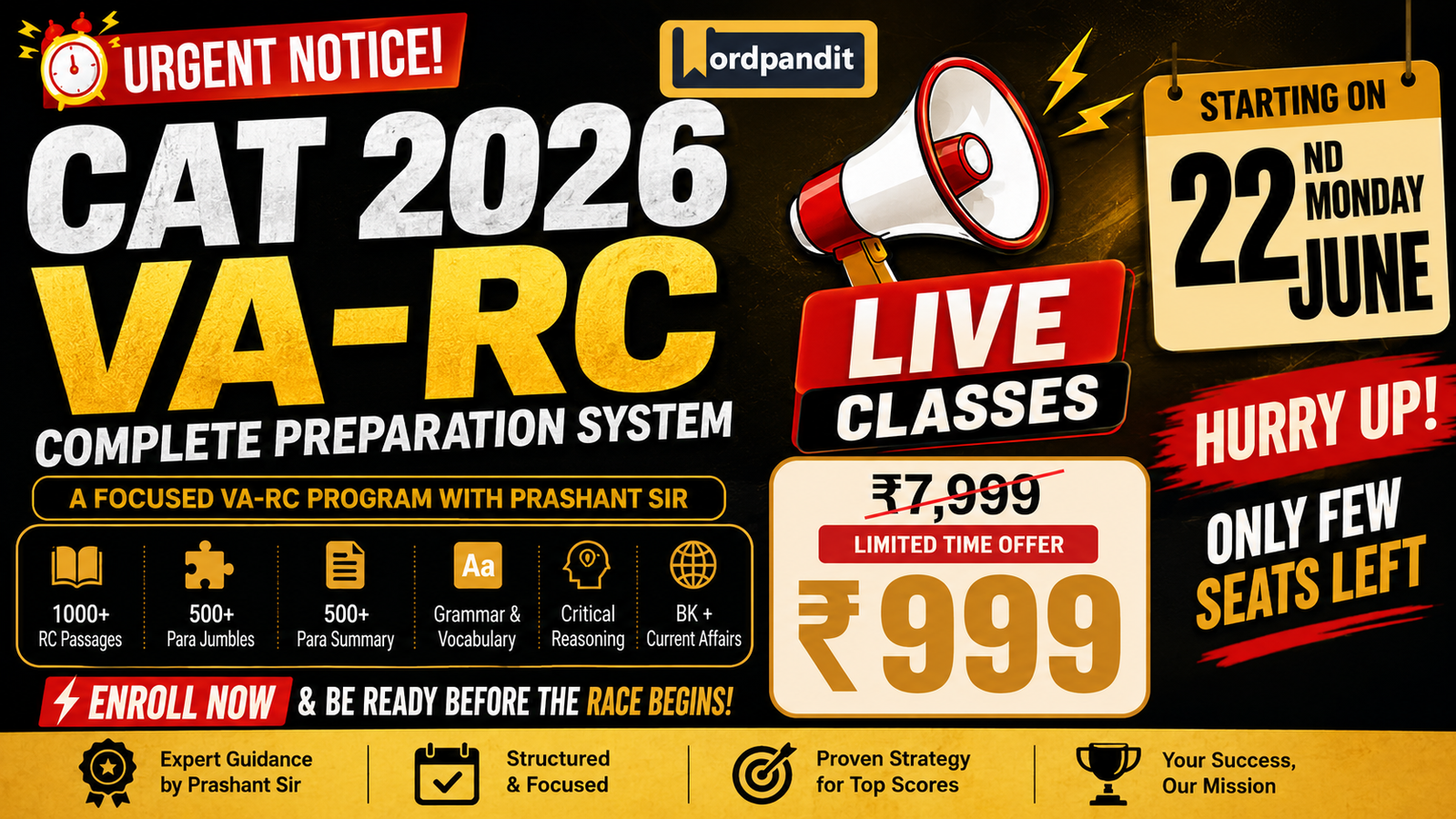

The Ultimate CAT-2026 VA-RC Course by Wordpandit

News Article Critical Lens: Read News Like a Media Analyst

C035 πŸ“‹ Prompts Library 1 Prompt

News Article Critical Lens: Read News Like a Media Analyst

Analyze news articles for hooks vs substance, source credibility, framing, missing context, and follow-up questions.

5 min read 5-Part Analysis Critical Reading
PR041 News Article Critical Lens
When reading news and current events
Here’s a news article: “[paste article]” Help me read it critically: – What’s the news hook vs. the actual substance? – What sources are cited and what’s their credibility? – What context is missing? – What’s the framing, and how might it differ elsewhere? – What follow-up questions should I have?
β–Ά Watch This Guide
πŸ“°
365 Articles, All Genres News, opinion, academic, literary β€” practice critical reading across every text type.
Explore Course β†’

Hook vs Substance

Every news article has two layers: the hook (why you’re reading it today) and the substance (the actual information). Learning to read news critically AI-assisted means separating these layers.

The hook is what makes something “news” β€” conflict, drama, surprise, scandal, celebrity, crisis. Journalists are trained to lead with the hook because it captures attention. But the hook often distorts the substance.

A headline like “CEO Resigns Amid Scandal” has a powerful hook. But the substance might be: CEO planned retirement months ago, “scandal” was a minor compliance issue already resolved. The hook creates urgency and emotion. The substance is routine.

PR041 asks: “What’s the news hook vs. the actual substance?” This forces you to notice the difference. Once you see the pattern, you can’t unsee it.

Source Analysis

Who’s quoted matters as much as what’s said. Analyze news article credibility by evaluating sources:

Named experts vs “sources say”: Anonymous sources can be necessary for sensitive stories, but they’re also easy to fabricate or misrepresent. Named, credentialed experts are more trustworthy.

Primary vs aggregated: Is this outlet doing original reporting, or summarizing what another outlet reported? Aggregation loses nuance and can introduce errors.

Conflicts of interest: Is the expert quoted because they’re knowledgeable, or because they have a stake in a particular narrative? Industry spokespeople are not neutral.

What’s NOT sourced: Claims presented as fact without attribution are red flags. “Experts agree…” “Studies show…” Without specifics, these are editorial assertions disguised as evidence.

πŸ’‘ Pro Tip

When AI analyzes sources, ask follow-up: “What would a skeptical reader want to verify independently?” This identifies the weakest links in the source chain.

Framing Analysis

News framing is how a story is positioned. The same facts can support very different narratives depending on what’s emphasized, what’s downplayed, what vocabulary is used, and what context is included or excluded.

Example: A protest. One outlet: “Peaceful demonstrators demand change.” Another: “Crowds disrupt traffic, businesses.” Same event, different frames. Neither is lying β€” but each selects facts that fit a narrative.

PR041 asks: “What’s the framing, and how might it differ elsewhere?” This trains you to see the editorial choices behind what appears to be neutral reporting.

πŸ“Œ Missing Context

What’s NOT in an article often matters more than what is. Historical background, alternative explanations, dissenting views, industry context β€” journalists can’t include everything. PR041 asks what context is missing so you know what to look up yourself.

The Prompt in Practice

PR041 generates five outputs for any news article:

1. Hook vs substance: Separates the attention-grabbing element from the actual information.

2. Source credibility: Evaluates who’s quoted and what their reliability is.

3. Missing context: Identifies what background would change your interpretation.

4. Framing analysis: Shows how the story is positioned and how alternatives might differ.

5. Follow-up questions: Suggests what to investigate further before forming opinions.

Use this for important or controversial news. The overhead isn’t worth it for routine stories, but for anything that might influence your beliefs or decisions, the 2-minute analysis pays dividends.

For deeper bias detection, see the Critical Reading pillar. For the full prompt ecosystem, explore the AI for Reading hub.

Frequently Asked Questions

No β€” the overhead isn’t worth it for routine news. Use it for important stories, controversial topics, or anything that might influence your beliefs or decisions. Over time, you’ll internalize the framework and apply it automatically without the prompt.
No single source is always credible. Evaluate per-story: Who’s quoted? Are claims sourced? Is this original reporting or aggregation? What’s the outlet’s track record on this topic? PR041 helps you ask these questions systematically.
Good β€” that’s critical thinking. AI provides a structured analysis, not the final word. If you disagree, articulate why. You might catch something AI missed, or the process of disagreement might refine your own thinking. Either way, you win.
This prompt analyzes structure and technique: hook vs substance, source quality, framing choices. Bias checking focuses more on ideological slant. Both matter β€” this prompt is about reading technique, bias checking is about content direction. Use both for complete analysis.
πŸ“š The Ultimate Reading Course

Practice Critical Analysis

365 articles across genres β€” train your critical reading skills on diverse, challenging content.

Start Learning β†’
1,098 Practice Questions 365 Articles with Analysis 6 Courses + Community

Try It on Today’s News

Pick an important story, paste it into PR041, and see the analysis. Train the mental framework that separates informed readers from passive consumers.

AI Reading Prompts Library

Jargon Translator: Convert Technical Writing to Plain English

C010 🧠 Understand Difficult Text 1 Prompt

Jargon Translator: Convert Technical Writing to Plain English

One prompt to decode jargon: extract technical terms, define in plain English, and get real-world examples for each.

5 min read Term-by-Term Guide 2 of 6
PR017 The Phrase Unpacker
For technical phrases, jargon, or expressions
This phrase appears in my reading: “[phrase or idiom]” Full context: “[paste surrounding sentences]” Unpack this phrase: – Literal vs. intended meaning – Origin or common usage pattern – What work is this phrase doing in the passage? – How would the meaning shift if stated more directly?
β–Ά Watch This Guide
πŸ”€
Build Technical Vocabulary Daily 365 articles across domains β€” encounter and decode jargon in context, not isolation.
Explore Course β†’

What Jargon Hides

Every field has its secret language. Legal contracts say “notwithstanding the foregoing.” Medical papers mention “comorbidities” and “contraindications.” Tech articles assume you know what “latency,” “throughput,” and “edge computing” mean.

Jargon isn’t just big words β€” it’s words used in specialized ways. “Significant” in statistics doesn’t mean “important.” “Volatile” in chemistry doesn’t mean “temperamental.” “Exposure” in finance doesn’t mean “publicity.” If you don’t catch these specialized meanings, you think you understand when you don’t.

The worst part: jargon compounds. One undefined term leads to another. By the third paragraph, you’re lost β€” not because the ideas are hard, but because the vocabulary has locked you out. To translate jargon into plain English, you need more than a dictionary. You need context.

The Prompt: Unpack Phrases in Context

The Phrase Unpacker prompt (PR017) doesn’t just define words β€” it analyzes how they function in your specific passage. You provide the phrase and its surrounding context, and the prompt unpacks four things:

Literal vs. intended meaning: What do the words technically say versus what the author actually means? Technical jargon often uses familiar words in unfamiliar ways. “Market correction” sounds gentle; it means prices dropped significantly.

Origin or common usage: Where does this expression come from? Is it standard terminology in this field, or is the author using it idiosyncratically? Knowing this helps you recognize it elsewhere.

What work the phrase is doing: Why did the author use this phrase here? Is it signaling expertise, hedging a claim, appealing to authority, or simply using the standard term? Understanding function helps you read critically.

How meaning would shift if stated directly: What would the passage say in plain language? This is your translation β€” the jargon-free version you can actually understand and remember.

πŸ’‘ Pro Tip

Always include surrounding sentences as context. The same phrase can mean different things in different passages. “Risk exposure” in a medical paper vs. a financial report vs. a cybersecurity analysis requires different translations.

Output Format: What You’ll Get

When you use PR017 with a technical phrase, you’ll receive a structured breakdown that looks something like this:

For the phrase “asymmetric information” in an economics passage, you’d get: the literal meaning (one party knows more than another), the field-specific usage (a market condition where buyers and sellers have unequal knowledge), the rhetorical function (establishing why markets fail), and the plain English translation (the seller knows something the buyer doesn’t).

This output gives you three things: comprehension (you understand this passage), retention (you’ll recognize the term later), and transfer (you can use the term correctly yourself).

Quality Checks: Verify Your Understanding

After unpacking jargon, verify your understanding with these checks:

The restatement test: Can you explain the passage in your own words without using the jargon? If you can only repeat the technical terms, you haven’t truly understood β€” you’ve just memorized.

The example test: Can you give a concrete example of what the jargon refers to? If “liquidity risk” is just an abstract phrase to you, ask for a real-world scenario. Now it’s a bank not having enough cash when depositors want withdrawals.

The recognition test: Would you spot this jargon and know its meaning if you saw it in a different passage? If yes, you’ve learned the term. If no, you’ve only translated this one instance.

For more comprehensive vocabulary work, see the Glossary from Article prompt (C014) which extracts all key terms at once. For full text simplification beyond just jargon, use the 3-Step Simplification Workflow (C009).

πŸ“Œ When to Use This Prompt

Use the Jargon Translator when you understand the grammar and structure but get stuck on specific terms. If the whole passage is difficult β€” not just the vocabulary β€” start with C009 instead. If you need to learn all terms from an article systematically, use C014.

Common Jargon Patterns to Watch

Nominalizations: Verbs turned into nouns (“utilize” β†’ “utilization,” “implement” β†’ “implementation”). These make sentences longer and vaguer.

Acronyms and initialisms: Every field has them. AI, ML, ROI, KPI, EBITDA, CAC, LTV. Don’t assume you know β€” “CAC” means “customer acquisition cost” in business but “circumferential arm circumference” in nutrition research.

Field-specific meanings: Common words with uncommon meanings. “Leverage” (debt), “exposure” (risk), “significant” (statistically meaningful), “conservative” (cautious estimate).

Euphemisms and hedges: “Negative growth” (decline), “suboptimal outcomes” (failure), “restructuring” (layoffs). Authors use these to soften bad news.

Return to the Understand Difficult Text pillar for more comprehension tools, or explore the full prompt ecosystem at the AI for Reading hub.

Frequently Asked Questions

Jargon is any specialized vocabulary that insiders use but outsiders don’t understand β€” technical terms, acronyms, field-specific phrases, and expressions that assume prior knowledge. It’s not just big words; it’s words used in specialized ways.
Dictionary definitions give you general meanings. This prompt gives you the contextual meaning β€” what the term means in THIS passage, what work it’s doing rhetorically, and how the meaning would change if stated differently.
Use the Jargon Translator when your confusion is specifically about terminology β€” you understand the grammar and structure but not the words. Use the full workflow (C009) when the whole passage is difficult, not just the vocabulary.
Yes, but for best results, focus on one phrase or term at a time. If a passage has many unfamiliar terms, consider the Glossary from Article prompt (C014) which extracts and defines all key terms systematically.
πŸ“š The Ultimate Reading Course

Master Technical Vocabulary in Context

365 articles across business, science, law, and technology β€” learn specialized vocabulary the natural way.

Start Learning β†’
1,098 Practice Questions 365 Articles with Analysis 6 Courses + Community

4 More Comprehension Guides Await

You’ve mastered jargon translation. Next, explore prerequisites, analogies, and sentence-level coaching.

Understand Difficult Text Pillar

Inference Question Trainer: Master the Hardest RC Type

C070 πŸŽ“ RC Exam Prep 1 Prompt

Inference Question Trainer: Master the Hardest RC Type

Inference questions trip up even strong readers. Practice three distinct types β€” reading between the lines, author’s implied view, and logic extension β€” with AI-generated questions and trap analysis.

6 min read Inference Guide 4 of 6
PR049 The Inference Question Trainer
Use to practice the hardest RC question type
Here’s a passage: “[paste passage]” Generate 3 inference questions in the style of [CAT/GMAT/GRE]: – One that requires reading between the lines – One that requires understanding author’s implied view – One that requires extending the logic For each, explain what makes the correct answer correct and what common traps might appear.
β–Ά Watch This Guide
🎯
1,098 Questions. Zero Guesswork. The Ultimate Reading Course gives you 365 passages with the exact inference practice you need β€” including detailed answer explanations for every question.
Explore Course β†’

Why Inference Questions Are the Hardest RC Type

Every competitive exam β€” CAT, GMAT, GRE β€” has a question type that separates scorers from top scorers. That type is inference questions. While detail questions point you to specific lines and main idea questions test your overall grasp, inference questions demand something harder: drawing a conclusion the passage supports but never directly states.

The difficulty comes from two sources. First, you need to synthesize information across multiple sentences or paragraphs. Second, the answer must be logically supported by the text without being explicitly mentioned β€” a narrow sweet spot between what’s stated and what’s assumed.

Most test-takers fail inference questions because they either pick answers that go too far beyond the text (overinference) or pick answers that merely restate what’s already explicit (underinference). The sweet spot is one logical step beyond the text β€” no more, no less.

The 3 Inference Types You’ll Face

Type 1: Reading Between the Lines β€” These questions ask what’s implied by the passage. The author doesn’t say it directly, but the evidence points clearly in one direction. Signal phrases: “The passage implies that…”, “It can be inferred…”, “The author suggests…”

Type 2: Author’s Implied View β€” These ask what the author believes based on how they present information. Watch for qualifiers (“merely,” “surprisingly”), contrast signals, and the relative space given to competing arguments.

Type 3: Extending the Logic β€” These ask you to apply the passage’s reasoning to a new scenario. If the author argues X leads to Y in context A, what would happen in context B? This requires extracting the rule from the example, then applying it elsewhere.

⚑ Exam Strategy

Before selecting an inference answer, ask: “Can I point to specific lines that support this?” If you can’t, you’ve overinferred. If the lines say exactly what the answer says, you’ve underinferred. The right answer is always one step β€” and only one step β€” beyond what’s stated.

Continue to Timed Practice Simulator (C071) for speed training.

Frequently Asked Questions

Inference questions require you to go beyond what’s explicitly stated. Unlike detail questions where the answer is in the passage, inference questions ask you to draw a logical conclusion that the passage supports but never directly says. This requires holding multiple pieces of information in mind and reasoning from them.
The core skill is the same, but the style varies. GMAT inference questions focus on business and logical reasoning. GRE tests nuanced literary or academic inferences. CAT questions can be more varied. The PR049 prompt lets you specify which exam style you want.
An inference is a conclusion you draw FROM the passage β€” it follows from what’s stated. An assumption is something the author takes for granted β€” it’s not stated but must be true for the argument to work. Inference questions ask what follows; assumption questions ask what’s presupposed.
πŸ“š The Ultimate Reading Course

Master the Hardest Question Type

365 passages with inference questions at every difficulty level. Detailed explanations show exactly how to find the one-step-beyond answer.

Start Learning β†’
1,098 Practice Questions 365 Articles with Analysis 6 Courses + Community

2 More RC Exam Prep Guides Await

You’ve learned inference questions. Next, master timed practice and difficulty calibration.

All RC Exam Prep Guides

Methods Decoder: Explain Methods in Plain English

C062 πŸ”¬ Research Papers 1 Prompt

Methods Decoder: Explain Methods in Plain English

Turn opaque procedures, variables, and statistical tests into clear, plain-language explanations you can actually understand β€” using one copy-paste AI prompt.

6 min read 1 Prompt Guide 2 of 6
PR040 Academic Paper Navigator
Use before reading a research paper
I’m reading an academic paper. Here’s the abstract: “[paste abstract]” Before I read the full paper, help me: – Identify the research question and why it matters – Understand what to pay attention to in each section (intro, methods, results, discussion) – Flag jargon I should look up first – Tell me what questions to keep in mind while reading
πŸ”¬
Practice Reading Research on Real Passages The Ultimate Reading Course includes 365 articles with RC questions β€” build the comprehension skills that make methods sections manageable.
Explore Course β†’

Why Methods Sections Are the Hardest Part of Any Paper

You can usually follow a research paper’s introduction. The results make sense in table form. Even the discussion reads like an opinion piece. But the methods section? That’s where most readers hit a wall β€” and where most people silently give up on understanding what the study actually did.

The problem isn’t intelligence. It’s vocabulary. Methods sections are written for peer reviewers who already know what “double-blind placebo-controlled crossover design” means. If you’re outside that circle, you’re expected to decode the jargon yourself. Most people don’t.

That’s exactly where AI can help. When you use a prompt to explain methods section content in plain English, you’re removing the vocabulary barrier so your thinking can actually begin.

How to Use PR040 to Decode Any Methods Section

The Academic Paper Navigator prompt (PR040) was designed for pre-reading orientation, but it’s equally powerful as a methods decoder. Here’s how to adapt it:

1. Copy the full methods section. Include subheadings, statistical test names, and references to tables. More context gives better explanations.

2. Paste it into AI with a targeted instruction. Add: “Focus specifically on the methods section. Explain every procedure, variable, and statistical test in plain English.”

3. Ask for a step-by-step walkthrough. Request that AI explain the study design as a sequence: what happened first, what was measured, what was compared.

4. Identify variables explicitly. Follow up with: “List every independent variable, dependent variable, and control variable mentioned.”

⚑ Pro Tip

After AI explains the methods, ask: “Explain the statistical tests used as if I’m an intelligent adult who has never taken a statistics course. For each test, tell me what question it answers.”

The 5 Things to Check in Any Methods Explanation

Once AI has decoded the methods, verify these five elements:

Sample: Who or what was studied? How were they selected? Is the sample representative?

Procedure: What did the researchers actually do? In what order?

Variables: What was manipulated (independent)? What was measured (dependent)? What was held constant (controls)?

Analysis: What statistical tests were used? Why those tests?

Threats: What could have gone wrong? What confounds exist?

πŸ’‘ Example: Before and After

Before: “A 2Γ—3 mixed-design ANOVA with Greenhouse-Geisser correction revealed a significant interaction (F(1.8, 142.3) = 4.21, p = .02, Ξ·Β²p = .05).”

After (AI decoded): “The researchers compared two groups across three time points. The statistical test (ANOVA) found that the groups changed differently over time β€” one group improved more than the other. The effect was real (p = .02) but small (5% of the variance explained).”

⚠ Important Limitation

AI may oversimplify nuances or miss field-specific conventions. Treat its explanation as a starting point and verify critical details against the paper itself.

Build Your Research Reading Stack

The Methods Decoder works best with other research paper prompts:

Paper Map Prompt β€” Map the paper before diving into methods

Limitations & Assumptions β€” Find weaknesses the methods might create

Reproducibility Checklist β€” Assess if methods are detailed enough to replicate

Frequently Asked Questions

AI is surprisingly good at translating technical procedures into plain language. It can explain statistical tests, experimental designs, and measurement approaches clearly. However, AI may oversimplify nuances, so treat its explanation as a starting point.
That’s exactly when this prompt is most useful. Ask AI to explain each statistical test in one sentence, what it’s designed to detect, and what a significant result means in context.
Ideally, skim the methods first so you know what confused you. Then paste the text into AI and ask for a plain English breakdown. This way you can compare your initial understanding to AI’s explanation.
Yes β€” the prompt works across fields including medicine, psychology, economics, computer science, and natural sciences. AI adapts its explanations to the specific methodology used.
πŸ“š The Ultimate Reading Course

Decode Any Research Paper

Build the foundational comprehension skills that make methods sections manageable β€” 365 articles with structured practice.

Start Learning β†’
1,098 Practice Questions 365 Articles 6 Courses

Never Be Confused by Methods Again

You’ve got the Methods Decoder. Next, find limitations, check reproducibility, and build your reading list.

All Research Paper Guides

Meeting Prep Prompt: 3 Links to Talking Points

C048 πŸ’Ό Reading for Work 1 Prompt

Meeting Prep Prompt: 3 Links to Talking Points

Meeting in 30 minutes? Paste your prep reading and get structured talking points, likely stakeholder questions, and discussion starters β€” fast.

5 min read 1 Prompt Included Guide 2 of 6
PR043 Business/Report Reader
Use for meeting prep & briefing notes
I’m reading a business report or case study: “[paste excerpt]” Help me extract value: – What’s the key takeaway for decision-making? – What data matters vs. what’s noise? – What assumptions underlie the analysis? – What questions should I ask before acting on this?
πŸ’Ό
Read Faster. Prep Smarter. Perform Better. The Ultimate Reading Course gives you 365 articles to practice professional reading skills β€” from extracting key takeaways to structuring briefing notes.
Explore Course β†’

The Input Format That Gets the Best Meeting Prep

You’ve got a meeting in 30 minutes. Three articles are sitting in your browser tabs, unread. The meeting talking points prompt can rescue you β€” but only if you feed it properly.

The key is structured input. Don’t just dump raw text. Instead, frame your paste with context that tells AI exactly what you need. Here’s the format that works:

State the meeting purpose. “I’m presenting quarterly results to the leadership team” gives AI the lens to filter what matters.

Identify your audience. “The CFO cares about cost, the COO cares about timelines” β€” AI will weight the talking points accordingly.

Paste your reading materials. Label each document: “Document 1: Market Analysis” and “Document 2: Competitor Report” so AI can attribute insights correctly.

Specify your output. “Give me 5 talking points, 3 likely questions, and 2 discussion starters” tells AI exactly what format you need.

This structure transforms the prompt from a generic summarizer into a true prep for meeting assistant. You’ll walk in knowing exactly what to say β€” and anticipating what others will ask.

Running the Prompt: From Reading to Talking Points

Once your input is ready, paste it into ChatGPT, Claude, or any AI tool along with the PR043 prompt above. The prompt’s four questions do the heavy lifting:

“What’s the key takeaway for decision-making?” cuts through fluff to find the one thing your audience must know.

“What data matters vs. what’s noise?” identifies which numbers are worth citing and which are decorative.

“What assumptions underlie the analysis?” surfaces risks you should be ready to address.

“What questions should I ask before acting on this?” turns into your own Q&A preparation β€” flip these into questions others might ask you.

The result: a set of briefing notes you can glance at before walking into the room. No more flipping through pages mid-meeting or fumbling for that one stat you half-remember.

⚑ Pro Tip

After getting initial talking points, run this follow-up: “Now imagine you’re the skeptical CFO in this meeting. What three questions would you ask to poke holes in these talking points?” This is the fastest way to stress-test your prep.

Preparing for Stakeholder Questions

The best meeting prep doesn’t just cover what you’ll say β€” it anticipates what others will ask. AI can help here too, but you need to guide it.

After generating your talking points, add this follow-up prompt: “Based on this content and a [describe your audience] audience, what are the 5 most likely questions they’ll ask? For each, suggest a 2-sentence response.”

This generates a quick reference sheet for the Q&A portion. Keep it open on your laptop or print it. When someone asks “What about the competitor response?” you won’t be caught flat-footed.

πŸ’‘ Real-World Example

A product manager needed to brief leadership on three analyst reports about market trends. She pasted all three with the context “presenting to CEO and board, focus on strategic implications.” AI generated: 4 talking points, 2 data visualizations to create, 5 likely questions, and a one-liner opening hook. Total prep time: 12 minutes.

When You Only Have 10 Minutes

Sometimes there’s no time for the full workflow. Here’s the stripped-down version:

Paste your reading. Skip detailed labeling β€” just dump the text.

Run the core prompt once. Get the four-part extraction.

Ask for compression. “Summarize this into 3 bullet points I must know.”

Skip the Q&A prep if time is tight. Knowing the content is more valuable than predicting questions. You can improvise answers; you can’t improvise knowledge.

⚠ Important Limitation

AI doesn’t know your company’s internal politics, your boss’s pet peeves, or last week’s drama in the leadership meeting. It gives you content prep β€” you still need to apply judgment about how to present based on what you know about the people in the room.

Building Your Professional Reading Workflow

This meeting talking points prompt is one piece of the Reading for Work toolkit. For a complete professional reading system, pair it with:

Action Memo Prompt β€” when you need a full memo, not just talking points

Stakeholder Update Prompt β€” for written updates after the meeting

Executive Summary Prompt β€” for distilling long reports into one-pagers

Frequently Asked Questions

Most AI tools handle 3,000-8,000 words comfortably. For longer materials, paste the most relevant sections or ask AI to focus on specific pages. Quality of input matters more than quantity β€” include the parts that are most likely to come up in discussion.
Yes. Paste all documents together with clear labels like “Document 1: [title]” and “Document 2: [title]”. AI will synthesize across sources and identify where they agree, disagree, or complement each other.
Add context about your audience when you run the prompt. For example: “I’m presenting to the CFO who cares about ROI” or “This is for a technical team that wants implementation details.” AI will adjust the emphasis accordingly.
Focus on the core prompt without follow-ups. Paste your reading, run the Business/Report Reader prompt once, and ask for “3 bullet points I must know.” Skip the Q&A prep if time is tight β€” knowing the key takeaways is more valuable than predicting questions.
πŸ“š The Ultimate Reading Course

From Unread Tabs to Meeting-Ready in Minutes

Practice extracting key takeaways, building talking points, and preparing for stakeholder questions across 365 real articles.

Start Learning β†’
1,098 Practice Questions 365 Articles with Analysis 6 Courses + Community

Never Walk Into a Meeting Unprepared

You’ve got the meeting prep workflow. Now add stakeholder updates, decision matrices, and competitive intel to complete your professional reading stack.

All Reading for Work Guides

Math & Notation Translator: Symbols to Words

C066 πŸ”¬ Research Papers 1 Prompt

Math & Notation Translator: Symbols to Words

Don’t let Greek letters and subscripts lock you out of a paper. This prompt turns opaque equations into plain English β€” with symbol definitions, explanations, and worked examples.

6 min read Equations Guide 6 of 6
PR040 Academic Paper Navigator
Use before reading a research paper
I’m reading an academic paper. Here’s the abstract: “[paste abstract]” Before I read the full paper, help me: – Identify the research question and why it matters – Understand what to pay attention to in each section (intro, methods, results, discussion) – Flag jargon I should look up first – Tell me what questions to keep in mind while reading
β–Ά Watch This Guide
πŸ”¬
Build Analytical Reading Habits The Ultimate Reading Course trains you to read complex material with precision β€” 365 articles across every genre and difficulty level.
Explore Course β†’

What to Include When Asking AI to Explain Equations

You’re reading a paper that looks promising β€” until you hit a wall of subscripts, summation signs, and Greek letters. The abstract made sense. The introduction was clear. Then the methods section arrived and suddenly you’re staring at notation that might as well be hieroglyphs.

This is where most non-specialist readers abandon a paper. But you don’t have to. The key to using AI to explain equations in words is giving it enough context to translate accurately.

Always include the abstract. It anchors the AI in the paper’s domain and research question. A sigma (Οƒ) means something different in statistics, physics, and computer science. The abstract tells AI which interpretation to use.

Copy equations exactly. Subscripts, superscripts, and special characters all matter. If you can’t copy-paste from the PDF, describe the layout: “x subscript i, superscript 2” or use standard text conventions like x_i^2.

Specify your level. Add a line like “Explain this as if I have an undergraduate understanding of statistics.” This calibrates the explanation to your actual knowledge.

πŸ“Œ Key Insight

The Paper Map Prompt is your ideal first step β€” it gives you the overall structure before you dive into equations. Once you know what each section does, you can focus your notation translation efforts on the equations that matter most.

For the complete research paper reading toolkit, explore the Read Research Papers pillar or return to the AI for Reading hub.

Frequently Asked Questions

Many PDFs don’t allow clean copy-paste of equations. Options: describe it in words (“x subscript i squared”), use LaTeX-style notation (x_i^2), or take a screenshot and use a multimodal AI tool that can read images.
Equations are ambiguous without context. The same symbol can mean different things in different fields. The abstract tells AI the domain, which enables accurate interpretation of notation.
Ask for a numerical example with simple numbers. If the equation calculates a probability, ask AI to show the calculation with made-up but realistic values. Working through actual numbers often clarifies what abstract notation means.
πŸ“š The Ultimate Reading Course

You’ve Completed the Research Papers Pillar

All 6 guides mastered. Ready to practice on real articles? 365 passages with expert analysis await.

Start Learning β†’
1,098 Practice Questions 365 Articles with Analysis 6 Courses + Community

You’ve Completed the Research Papers Pillar

All 6 guides mastered: paper navigation, abstract analysis, methodology critique, and equation translation. Ready to explore other pillars?

All Research Paper Guides

Make Flashcards from What You Read: Active Recall Prompts

C022 πŸ“ Notes & Memory 1 Prompt

Make Flashcards from What You Read: Active Recall Prompts

Generate effective flashcards at multiple cognitive levels: test surface facts, deep comprehension, and real-world application.

5 min read 4 Cognitive Levels Guide 2 of 5
PR032 The Retrieval Practice Generator
To test yourself on what you read
I just read this: “[paste passage]” Create a retrieval practice set: – 3 questions testing surface understanding – 2 questions testing deeper comprehension – 1 question requiring me to apply this idea to a new situation – 1 question connecting this to other knowledge Don’t give answers yet β€” I’ll try first, then ask.
β–Ά Watch This Guide
🎴
Build Your Flashcard Collection 365 articles designed for comprehension β€” perfect material for generating flashcard-worthy content.
Explore Course β†’

What Makes Good Flashcards

Most flashcards fail because they test recognition instead of recall. You see the question, something feels familiar, you flip the card and say “yeah, I knew that.” But you didn’t β€” you recognized it. Recognizing is not remembering.

Good flashcards force active recall: you must produce the answer from memory, not just recognize it when you see it. This retrieval effort is what actually builds lasting memory. It feels harder because it is harder β€” and that’s the point.

The Retrieval Practice Generator (PR032) creates questions at four cognitive levels, not just one. Surface questions test basic facts. Comprehension questions test whether you understand what it means. Application questions test whether you can use the concept in a new situation. Connection questions test whether you can link it to other knowledge.

This multi-level approach prevents a common trap: you can answer surface questions perfectly while having no real understanding. By mixing question types, you discover gaps you didn’t know you had.

The Flashcard Prompt

PR032 asks AI to generate 7 questions at four levels β€” crucially, without providing answers. This matters. The learning happens when you attempt to answer before checking.

Here’s the workflow: paste a passage, get questions, try to answer each one out loud or in writing, then ask for answers and compare. Questions you got wrong or struggled with become your actual flashcards. Questions you answered easily? You don’t need flashcards for those β€” you already know them.

This approach is more efficient than flashcarding everything. Most AI flashcard tools generate cards for every fact in a passage. You end up with 50 cards, 40 of which test things you already know. The retrieval practice approach identifies what you actually need to learn.

πŸ’‘ Pro Tip

After attempting answers, tell the AI which questions you struggled with. Ask: “I couldn’t answer questions 3 and 5. Create 2-3 more questions on those specific concepts at varying difficulty levels.” This targets your weak spots directly.

Question Types Explained

Surface questions test basic facts and definitions. “What is the term for…?” or “According to the passage, what percentage…?” These are the easiest to answer and the least valuable for deep learning β€” but they verify you absorbed the raw information.

Comprehension questions test whether you understand the meaning. “Why does this phenomenon occur?” or “What is the relationship between X and Y?” These require you to explain, not just recall. If you can’t answer in your own words, you don’t really understand.

Application questions test transfer to new situations. “How would this principle apply to [different context]?” or “If the conditions changed in this way, what would happen?” These are hard β€” and that’s why they’re valuable. They reveal whether you can use the concept, not just describe it.

Connection questions test integration with existing knowledge. “How does this relate to [something you already know]?” or “What does this remind you of from [other field]?” These build your knowledge network, linking new ideas to established ones.

For a deeper review system using these question types over time, see Spaced Recall from Articles (C025).

πŸ“Œ The Struggle Test

If you can answer a flashcard question instantly without thinking, the card is too easy and wasting your time. Good flashcards should require a moment of effort β€” that effort is the learning. Delete easy cards, keep challenging ones.

Export Tips: Getting Cards into Your System

Once you’ve identified questions worth keeping, you need to get them into a spaced repetition system. Here’s how to format for the major apps:

For Anki: Ask AI to format as “Question [tab] Answer” with each card on a new line. Import using File β†’ Import, set field separator to Tab. Or use the semicolon format: “Question;Answer” and set separator to semicolon.

For Quizlet: Ask AI to format as “Question – Answer” with each card on a new line. Use Quizlet’s import feature, set the term-definition separator to ” – ” (space-dash-space).

For Notion/Obsidian: Ask AI to format cards as toggle blocks (Notion) or callouts (Obsidian) with question visible and answer hidden. This works for quick review within your existing note system.

For cards that need more context than simple Q&A, use Cornell Notes (C021) instead β€” the cue column serves as built-in self-testing without needing a separate app.

Explore more memory systems in the Notes & Memory pillar or start with the complete AI for Reading hub.

Frequently Asked Questions

Recognition is “do I know this when I see it?” Recall is “can I produce this from memory?” Recognition is easy β€” recall is hard. And the hard effort of recall is what builds lasting memory. That’s why good flashcards make you produce the answer, not just confirm it looks familiar.
The retrieval attempt is the learning. If you see the answer before trying, you’ve lost the learning opportunity. By attempting first, you strengthen memory traces and discover which concepts you actually need to study. Questions you can already answer don’t need flashcards.
As few as possible while capturing what matters. The goal isn’t to flashcard every fact β€” it’s to flashcard concepts you couldn’t recall when tested. After trying the prompt’s questions, you might find only 2-3 need actual flashcards. Quality beats quantity.
Anki is the most powerful but has a learning curve. Quizlet is simpler and works well for most purposes. RemNote and Obsidian plugins work if you already use those tools. The best app is the one you’ll actually use consistently.
πŸ“š The Ultimate Reading Course

Build Active Recall Into Every Article

365 articles designed for comprehension β€” perfect material for practicing retrieval-based learning.

Start Learning β†’
1,098 Practice Questions 365 Articles with Analysis 6 Courses + Community

3 More Note-Taking Guides Await

You’ve mastered flashcards. Next, explore Zettelkasten, reading journals, and spaced recall systems.

Notes & Memory Pillar

Make a Glossary from Any Article: Definitions, Examples & Misconceptions

C014 🧠 Understand Difficult Text 2 Prompts

Make a Glossary from Any Article: Definitions, Examples & Misconceptions

Auto-generate a glossary from any text: key terms, contextual definitions, examples, and common misconceptions to avoid.

5 min read 2 Prompts Guide 6 of 6
PR019 The “Words I Should Know” Identifier
Step 1: Find key terms to define
Here’s a passage I’m reading: “[paste passage]” Identify vocabulary I should pay attention to: – Which words are central to understanding this passage? – Which words might appear in similar texts on this topic? – Which words have specialized meanings in this context vs. everyday use? – Rank them by importance for comprehension.
PR015 The Contextual Word Explorer
Step 2: Define each term in context
In this sentence: “[paste sentence]” The word “[word]” is used. Don’t just define it. Help me understand: – What does it mean in THIS specific context? – What connotations or tone does it carry here? – What other words could the author have used, and why this one? – How does this word choice affect meaning or tone?
β–Ά Watch This Guide
πŸ“š
Build Domain Vocabulary Systematically 365 articles with key terms in context β€” grow your technical vocabulary every day.
Explore Course β†’

Choose the Right Terms to Define

Not every unfamiliar word deserves glossary treatment. Some words are peripheral β€” you can understand the passage without them. Others are central β€” miss them and the whole argument collapses. PR019 helps you sort the difference.

The “Words I Should Know” Identifier (PR019) ranks vocabulary by importance for comprehension. It identifies which words are central to understanding, which appear in similar texts on the topic, and which have specialized meanings in this context versus everyday use.

This matters because time is limited. If an article has 20 unfamiliar terms, learning all of them equally wastes effort. Focus on the 5-7 that matter most. Those are the ones that unlock understanding β€” and the ones you’ll encounter again.

To create a glossary from an article efficiently, start with PR019 to identify your targets before diving into definitions.

Define Each Term in Context

Dictionary definitions fail for the same reason translations fail: they give general meanings, not specific ones. The word “culture” in a microbiology paper means something different than in an anthropology paper. Context determines meaning.

The Contextual Word Explorer (PR015) goes beyond definitions. For each term, it reveals what the word means in THIS specific context, what connotations or tone it carries, what alternative words the author could have used, and how this word choice affects meaning.

This depth matters for comprehension. When you understand not just what a word means but why the author chose it, you understand the passage at a deeper level. You see the author’s choices, not just the content.

πŸ’‘ Pro Tip

For each term, add a “misconception to avoid” note. Example: “Correlation” β€” misconception: correlation implies causation. These notes prevent common errors when you apply the term later.

Add Examples That Cement Understanding

Definitions tell you what a word means. Examples show you what it looks like. After getting contextual definitions, follow up with: “Give me a concrete example of [term] from a different domain.”

Cross-domain examples are especially powerful. If you’re learning about “arbitrage” in finance, an example from everyday life (buying cheap concert tickets and reselling them) makes the concept portable. You understand the principle, not just the application.

For deep vocabulary work, see the Vocabulary-in-Context Prompt Pack (C006) which includes collocations, tone analysis, and usage practice beyond what the glossary workflow covers.

Flag Common Misconceptions

Many technical terms carry baggage β€” common misunderstandings that persist even after you’ve read the definition. “Theory” in science doesn’t mean “guess.” “Significant” in statistics doesn’t mean “important.” “Organic” in chemistry has nothing to do with farming.

For each glossary term, ask: “What do people commonly get wrong about this term?” Then note the misconception explicitly. This preemptive correction saves you from errors that feel correct but aren’t.

The Jargon Translator (C010) handles single-term misconceptions well. For systematic glossary work, add the misconception step after defining each term.

πŸ“Œ The Glossary Workflow

1. Use PR019 to identify which terms matter most. 2. Use PR015 to define each term in context (not dictionary style). 3. Add a concrete example from a different domain. 4. Note the common misconception to avoid. 5. Test yourself by defining terms from memory after reading.

Quick Review: Test Your Glossary

A glossary you never review is a glossary that doesn’t help. After building your glossary, close the article and try to define each term from memory. Can you explain what it means in context? Can you give an example? Can you name the misconception to avoid?

If you can’t, you’ve collected definitions β€” but you haven’t learned them. Go back to that section of the article. Re-read it with the definition fresh in mind. The glossary should support comprehension, not replace it.

For long-term retention, revisit the glossary a day later using spaced repetition. The Understand Difficult Text pillar has more tools for building lasting comprehension. Return to the AI for Reading hub for the complete prompt ecosystem.

Frequently Asked Questions

Dictionaries give general definitions. This workflow gives you contextual meaning β€” what a word means in THIS passage, why the author chose it, and what connotations it carries. Words often have specialized meanings in specific fields that dictionaries miss.
No β€” only for dense technical content, unfamiliar topics, or texts you’ll need to reference later. For casual reading, use the Jargon Translator (C010) on specific terms instead of building a full glossary.
PR019 ranks terms by importance for comprehension. Focus on the top 5-10 terms that are central to understanding. More than 15 terms suggests you might need background knowledge first β€” try the Prerequisites Prompt (C011).
After reading, close the article and try to define each term from memory. If you can’t, re-read that section. For long-term retention, revisit the glossary a day later and test yourself again using spaced repetition.
πŸ“š The Ultimate Reading Course

Build Domain Vocabulary Daily

365 articles with rich terminology β€” encounter key terms in context and build lasting comprehension.

Start Learning β†’
1,098 Practice Questions 365 Articles with Analysis 6 Courses + Community

You’ve Completed the Comprehension Pillar

All 6 guides mastered. Ready to explore summarization, note-taking, or critical reading?

Understand Difficult Text Pillar

Literary Passage Deep Dive: Close Reading with AI

C037 πŸ“‹ Prompts Library Reading Skills

Literary Passage Deep Dive

Close reading for literature: surface meaning, literary devices, theme development, and reader effect analysis.

5 min read 1 Prompt Genre Guide
PR044 Literary Passage Deep Dive
For fiction, literary nonfiction, poetry
Here’s a passage from literature: “[paste passage]” Guide my close reading: – What’s happening at the surface level? – What literary devices are at work? – What themes or ideas are being developed? – What’s the effect on the reader, and how is it achieved? – What might I miss on a casual read?
πŸ“š
365 Literary Passages for Practice Close reading skills transfer to every complex text. Build the eye for detail that serves you forever.
Explore Course β†’

What Close Reading Reveals

Surface reading tells you what happens. Close reading tells you how and why. When you close read, every word becomes a choice the author made β€” and you can ask why that choice and not another. The literary analysis prompt PR044 guides this process systematically.

Start with surface meaning: what’s literally happening? Character actions, setting details, dialogue. Don’t interpret yet β€” just make sure you understand. Many reading errors come from rushing to interpretation before establishing the basic facts of the passage.

Then move to literary devices. Not to catalog them like trophies, but to ask: what work is this device doing? That metaphor isn’t decoration β€” it’s connecting two ideas. That repetition isn’t accident β€” it’s creating emphasis. The prompt helps you identify devices, but your job is to connect them to meaning.

Literary Devices: The Author’s Toolkit

Literary devices are techniques writers use to create meaning beyond the literal. The close reading prompt helps you identify which ones are active in your passage. Some common devices to watch for:

Imagery β€” sensory details that create pictures in the mind. Not just visual; listen for sounds, textures, smells, tastes. Metaphor and simile β€” comparisons that illuminate by connecting unlike things. Symbolism β€” objects or images that carry meaning beyond themselves. Irony β€” gaps between appearance and reality, between what’s said and what’s meant. Foreshadowing β€” hints planted early that bloom later.

Beyond these, pay attention to diction β€” why “trudged” instead of “walked”? Why “crimson” instead of “red”? Word choice reveals tone and attitude. Sentence structure matters too: short sentences create urgency; long, winding sentences can mimic confusion or drowning. For more on detecting author attitude, see Read Between the Lines.

πŸ’‘ The “Why This?” Question

The core move of close reading is simple: ask “Why this?” Why this word and not another? Why this image here? Why does the sentence break at this point? Why is this character named that? Every “why” opens a door. AI can generate possibilities; you decide which matter most.

Theme Analysis: What’s Really Being Said

Themes are the ideas a work explores β€” not the plot, but what the plot is about. A story might follow a soldier returning from war (plot), while exploring themes of trauma, homecoming, and the impossibility of returning to who you were. Themes are usually abstract: love, death, identity, power, freedom, memory, belonging.

In close reading, you connect devices to themes. That recurring water imagery? It connects to emotional overwhelm. That metaphor comparing the house to a prison? It advances the theme of entrapment. Patterns matter: not just one metaphor, but which metaphors cluster together, how they develop, where they peak and resolve.

PR044 asks about themes being “developed” because themes aren’t usually stated β€” they emerge through accumulation. By the end of a work, the theme should feel inevitable, built from a hundred deliberate choices. For strategies to maintain this kind of engagement through longer texts, see Active Reading Prompts.

πŸ“Œ Passage Selection

You can’t close read an entire novel at this depth. Select key passages: openings (which establish tone and themes), climaxes (where tensions peak), pivotal scenes (where characters change), and endings (which resolve or deliberately don’t). These are where authors concentrate their craft. PR044 works best on 500-1000 word passages.

Reader Effect: How and Why It Works

Literature isn’t just about meaning β€” it’s about experience. Close reading examines what the passage makes you feel and how that effect is achieved. Tension, sympathy, unease, hope, dread, recognition β€” these aren’t accidents. They’re engineered through specific techniques.

The prompt asks: “What’s the effect on the reader, and how is it achieved?” This separates what you feel from why you feel it. You might feel dread, but why? The clipped sentences? The isolated protagonist? The detail that doesn’t quite fit? Once you understand the mechanism, you understand the craft β€” and can appreciate it more fully, or recognize when it’s being used to manipulate you.

The final question β€” “What might I miss on a casual read?” β€” surfaces the buried elements: structural echoes between beginning and end, intertextual references to other works, unreliable narration you didn’t catch, symbolic patterns that only emerge on reflection. This is where AI excels: pattern recognition across the passage, connections to literary tradition, context you might lack.

For the complete collection of genre-specific reading approaches, explore the AI Reading Prompts Library. For the broader framework connecting all reading skills, see AI for Reading.

Frequently Asked Questions

Surface reading focuses on what happens: plot, events, who said what. Close reading asks why and how: Why did the author choose that word? How does that image connect to the theme? What effect does this structure create? Close reading treats every choice as deliberate and meaningful. It’s slower but reveals layers that casual reading misses.
AI excels at pattern recognition and catalog tasks: listing every metaphor, tracking recurring images, noting structural parallels. It’s also good at providing context (historical, biographical, genre conventions) and generating interpretive possibilities. It’s less good at deciding which interpretation matters most β€” that’s where your judgment comes in. Use AI to surface options, then select what resonates.
Close reading works best on short, dense passages: a paragraph, a scene, a poem, a page. Longer passages require too much compression β€” you’ll get surface-level analysis spread thin. For novels or long works, select key passages (openings, climaxes, pivotal scenes, endings) and close read those. PR044 handles about 500-1000 words well.
Common devices include: imagery (sensory details), metaphor and simile (comparisons), symbolism (objects/images carrying meaning), irony (gap between appearance and reality), foreshadowing (hints at future events), diction (word choice for effect), syntax (sentence structure), point of view (who narrates and what they know), and tone (attitude conveyed). PR044 will flag the specific devices present in your passage.
365 Articles β€’ RC Questions

See What Others Miss

Close reading skills transfer to every complex text you’ll ever encounter. Practice on literary passages and watch your ability to notice deepen across all your reading.

Join the Course β€” β‚Ή2,499 β†’
Literary Passages Deep Analysis Transferable Skills

Read Deeper. See More.

Pick a passage from whatever you’re reading. Run PR044. Notice what layers emerge beneath the surface β€” the devices, the themes, the craft. That’s where literature lives.

Prompts Library Pillar

Limitations & Assumptions Prompt: What the Paper Admits

C063 πŸ”¬ Research Papers 1 Prompt

Limitations & Assumptions Prompt: What the Paper Admits

Every study has boundaries. This prompt helps you find the limitations authors acknowledge β€” and the ones they don’t β€” so you know exactly how far to trust the findings.

6 min read 1 Prompt Guide 3 of 6
PR040 Academic Paper Navigator
Use before reading a research paper
I’m reading an academic paper. Here’s the abstract: “[paste abstract]” Before I read the full paper, help me: – Identify the research question and why it matters – Understand what to pay attention to in each section (intro, methods, results, discussion) – Flag jargon I should look up first – Tell me what questions to keep in mind while reading
πŸ”¬
Build Critical Reading Skills 365 articles with RC questions that train you to spot assumptions and evaluate evidence quality.
Explore Course β†’

The Two Types of Weaknesses in Any Paper

Every research paper has boundaries. The question is whether the authors acknowledge them β€” and whether you can spot the ones they don’t.

Stated limitations are boundaries the researchers acknowledge directly. Look in the discussion section for phrases like “one limitation of this study…” or “future research should address…” These show intellectual honesty.

Unstated assumptions are things the researchers take for granted without proving. These are often more important because they suggest blind spots. Did the authors assume their sample represents the population? That participants answered honestly? That the measurement tool is valid?

How to Use the Prompt for Limitations Analysis

Start with PR040 to map the paper’s structure. Then add a targeted follow-up: “Now focus on limitations and assumptions. What does this paper explicitly acknowledge as limitations? What assumptions does it make without proving them?”

AI will separate stated from unstated weaknesses, giving you a clearer picture of how much to trust the findings.

⚑ Pro Tip

After identifying limitations, ask: “For each limitation, does it weaken the main finding, narrow its applicability, or invalidate it entirely?” Not all limitations are equal.

Common Categories of Limitations

Sample limitations: Too small, not representative, convenience sampling, attrition bias

Measurement limitations: Self-report bias, instrument validity, operationalization choices

Design limitations: No control group, correlational (not causal), short timeframe

Scope limitations: Single context, narrow population, artificial setting

πŸ’‘ Example: Stated vs. Unstated

Stated: “Our sample of university students may not generalize to the broader adult population.”

Unstated: The study assumes participants didn’t change their behavior because they knew they were being observed (Hawthorne effect). This assumption is never mentioned.

How to Evaluate Impact on Conclusions

Once you’ve identified limitations, assess their severity:

Fatal flaws invalidate the core finding. If the control group isn’t comparable to the treatment group, the comparison is meaningless.

Scope restrictions narrow the applicability. The finding might be true, but only for specific populations or contexts.

Minor caveats are worth noting but don’t threaten the main conclusion. Every study has these.

⚠ Important Limitation

AI can identify potential weaknesses, but it can’t judge whether a limitation is fatal without domain expertise. Use AI’s output as a checklist for your own evaluation.

Build Your Critical Reading Stack

The Limitations & Assumptions Prompt works best with:

Methods Decoder β€” Understand what the study did before evaluating its weaknesses

Reproducibility Checklist β€” Assess transparency and documentation quality

Paper Map Prompt β€” Get the full picture before zooming in on limitations

Frequently Asked Questions

Limitations sections exist because no study is perfect. Responsible researchers acknowledge boundaries β€” sample size constraints, methodological trade-offs, scope restrictions. A well-written limitations section actually increases a paper’s credibility.
Limitations are boundaries the researchers acknowledge β€” what the study didn’t or couldn’t do. Assumptions are things taken for granted without proving β€” like assuming survey respondents answered honestly. Limitations are usually stated; assumptions often need to be inferred.
Not necessarily. Every study has limitations β€” that’s the nature of research. What matters is whether the limitations undermine core findings. Judge papers by whether conclusions are proportional to evidence, not by the number of limitations listed.
Look at three areas: the methodology (what alternative approaches could have been used?), the sample (who was excluded?), and the scope (what questions remain unanswered?). AI can help surface these by comparing the study’s approach to standard research practices.
πŸ“š The Ultimate Reading Course

Read Research Papers Critically

Build the skills to evaluate evidence quality and spot assumptions across 365 real articles.

Start Learning β†’
1,098 Practice Questions 365 Articles 6 Courses

Never Miss a Hidden Assumption

You’ve got the Limitations & Assumptions toolkit. Next, check reproducibility and find related work.

All Research Paper Guides

Key Takeaways vs Key Quotes: Extract Both

C019 πŸ“ Summarize Articles

Key Takeaways vs Key Quotes: Extract Both

Two outputs in one: main takeaways in your words plus the exact quotes worth saving, with clear separation.

5 min read 2 Prompts Guide 5 of 6
PR057 The Quote Extractor
To capture key quotes with context
Here’s an article: “[paste article]” Extract the most valuable quotes: – Identify 3-5 quotes worth saving (exact text) – For each quote, explain: – Why this quote matters – What it captures that a paraphrase would lose – How I might use this quote – Also give me the key takeaways that DON’T need direct quoting
PR030 The Layered Summary
When you need different summary depths
Here’s a text I want to remember: “[paste text]” Create three versions: – Tweet version (under 280 characters): The absolute core – Paragraph version: Core idea + key supporting points – Teaching version: How I would explain this to someone unfamiliar with the topic
β–Ά Watch This Guide
πŸ’Ž
Find the Gems in Every Article 365 articles with quotable insights β€” perfect practice for developing your extraction instincts.
Explore Course β†’

Takeaways vs Quotes: Why You Need Both

Most readers do one of two things: they highlight everything (creating a sea of yellow with no signal), or they paraphrase everything (losing the author’s exact words when those words matter). Neither approach serves you well.

To extract key takeaways from an article effectively, you need to separate two distinct outputs: ideas you can restate in your own words, and quotes you should preserve exactly as written. The difference isn’t about importance β€” it’s about what gets lost in translation.

Takeaways are concepts you understand well enough to explain differently. They become part of your mental model. Quotes are language so precise, memorable, or authoritative that paraphrasing would weaken them. They stay in the author’s voice because that voice adds something.

The Quote Extractor prompt (PR057) forces this separation. It asks AI to identify quotes worth saving, explain why each one matters, and separately deliver the takeaways that don’t need direct quoting. You get both outputs, clearly distinguished.

The Two-Prompt Workflow

Start with the Quote Extractor (PR057) when you suspect an article has quotable material β€” opinion pieces, thought leadership, research with memorable findings. The prompt asks for 3-5 quotes with context for each.

For each quote, you get three things: why it matters, what a paraphrase would lose, and how you might use it. This context transforms random highlighting into purposeful collection. You’re not just saving words β€” you’re building a library of evidence, examples, and language you can deploy later.

The prompt also delivers key takeaways that don’t need direct quoting. These are the ideas you should internalize and be able to explain in your own voice. They’re no less important than the quotes β€” they’re just better served by paraphrase.

If you need additional summary formats after extracting quotes, follow up with the Layered Summary (C015). Use the quotes for citation and evidence; use the summaries for comprehension and memory.

πŸ’‘ Pro Tip

Before using the Quote Extractor, ask yourself: “Will I ever need to cite this source?” If yes, extract quotes. If you’re reading purely for learning and won’t reference the text again, skip quotes and use the Layered Summary instead.

Scoring Your Output: What Makes a Good Quote

Not all quotes are equal. Here’s how to evaluate whether a quote is worth keeping:

Memorable phrasing: The author said it in a way that sticks. “Move fast and break things” is a quote; “iterate quickly and accept failures” is a paraphrase. The first one is worth saving; the second you can reconstruct anytime.

Technical precision: Definitions, formulas, or specific claims where exact wording matters. “Inflation is always and everywhere a monetary phenomenon” (Friedman) makes a specific claim that paraphrase would dilute.

Authorial authority: When who said it matters as much as what they said. A quote from the CEO about company strategy carries different weight than your summary of their strategy.

Evidence and data: Specific numbers, statistics, or findings you might cite. “Revenue grew 47% YoY” is worth preserving exactly; “revenue grew significantly” loses the precision.

If a quote doesn’t hit at least one of these criteria, it’s probably a takeaway in disguise. Paraphrase it and move on.

πŸ“Œ The Quote Test

Ask: “Would a paraphrase lose something important?” If yes, save the quote. If you can say it equally well in your own words, paraphrase. This simple test prevents over-quoting (cluttered notes) and under-quoting (lost gems).

Example: Quotes + Takeaways in Action

Say you read an article about remote work productivity. Here’s what the output might look like:

QUOTES WORTH SAVING:

“Productivity isn’t about hours logged β€” it’s about clarity achieved.” Why it matters: Reframes the entire productivity debate. How to use: Opening line for a presentation on async work.

“Teams that document decisions outperform teams that discuss decisions by 34%.” Why it matters: Specific, citable statistic. How to use: Evidence for documentation culture proposal.

TAKEAWAYS (no quote needed):

Remote work success depends more on communication norms than on tools. Async communication reduces interruptions but requires intentional social connection. Managers should measure outcomes, not activity.

Notice the separation: quotes carry language or data you’d lose by paraphrasing; takeaways carry ideas you can express yourself. Both matter. Both deserve their own treatment.

For building a more sophisticated note-taking system with these extractions, see Highlight Smarter (C026) or explore the full Summarize Articles pillar.

Frequently Asked Questions

Save exact quotes when the specific wording matters β€” memorable phrasing, technical precision, or when you’ll cite the source. Paraphrase when you need the idea but not the exact words. The Quote Extractor prompt helps you identify which is which, so you’re not over-quoting (cluttered notes) or under-quoting (losing powerful language).
Three to five quotes is usually optimal for a standard article (1,000-3,000 words). More than five suggests you’re highlighting too much β€” if everything is important, nothing is. Fewer than three might mean you’re missing genuinely quotable insights. The prompt asks for this range specifically to force prioritization.
A quote is worth saving when paraphrasing would lose something important: memorable phrasing that sticks, precise technical language, a surprising insight that needs the author’s exact framing, or evidence you might cite later. If you can say it equally well in your own words, paraphrase instead.
Store quotes with context: the source, why it matters, and how you might use it. The prompt provides this context automatically. For note-taking systems like Zettelkasten (C023), quotes become atomic notes with links. For research, they become evidence with citations. For writing, they become supporting material you can weave into your arguments.
365 Articles β€’ RC Questions

Build Your Quote Collection

Practice extracting the gems from diverse, high-quality content. Develop the instinct for what’s worth saving versus what to paraphrase.

Join the Course β€” β‚Ή2,499 β†’
Quotable Content Analysis Practice Memory Systems

One More Summary Guide Awaits

You’ve mastered quote extraction. Next, learn to summarize for different purposes: learning, deciding, or sharing.

Summarize Articles Pillar

How to Simplify Complex Text with AI: 3-Step Workflow

C009 🧠 Understand Difficult Text 2 Prompts

How to Simplify Complex Text with AI: 3-Step Workflow

A 3-step workflow to decode any complex text: identify thesis, paraphrase systematically, and generate clarifying examples.

6 min read 2 Prompts 3-Step Workflow
PR006 The Confusion Unpacker
Step 1: When a passage confuses you
I’m reading a passage and this part confuses me: “[paste confusing section]” Don’t simplify or summarize yet. Instead: – Identify what makes this difficult (complex syntax, assumed knowledge, abstract concepts, unfamiliar references?) – Break down the logic step by step – Explain any implicit assumptions the author is making – Only then restate the core idea in plain language
PR009 The Dense Passage Decoder
Step 2: For information-dense text
This passage is information-dense: “[paste passage]” Create a layered explanation: – Layer 1: The single core point in one sentence – Layer 2: The 3-4 key supporting elements – Layer 3: The nuances, qualifications, and exceptions – Layer 4: What’s deliberately left unsaid or simplified by the author
β–Ά Watch This Guide
πŸ’‘
Practice on Real Complex Texts 365 articles ranging from accessible to challenging β€” build your comprehension muscle daily.
Explore Course β†’

Step 1: Identify What Makes the Text Difficult

Most people approach complex text by immediately asking AI to “simplify this” or “explain in simple terms.” That’s backwards. You skip the most valuable step: understanding why the text is hard in the first place.

The Confusion Unpacker prompt (PR006) starts by diagnosing the difficulty. Is it complex syntax with nested clauses? Assumed background knowledge you’re missing? Abstract concepts that need grounding? Unfamiliar references or jargon?

This matters because different sources of difficulty require different solutions. Complex syntax needs untangling. Missing background knowledge needs filling. Abstract concepts need examples. Jargon needs the Jargon Translator. If you skip diagnosis, you get generic simplification that often loses important nuance.

When you simplify complex text with AI using a structured workflow, you preserve what matters. The thesis stays intact. The logic remains visible. You understand not just what the text says but why it was hard to understand.

Step 2: Paraphrase Systematically with Layers

After diagnosing the difficulty, use the Dense Passage Decoder prompt (PR009) to create a layered explanation. This isn’t just simplification β€” it’s systematic unpacking from simple to nuanced.

Layer 1 gives you the single core point in one sentence. This is the thesis, the main claim, the key takeaway. If you can’t state this clearly, you haven’t understood the passage.

Layer 2 adds the 3-4 supporting elements: the main reasons, evidence, or sub-points that hold up the core claim. These are the structural pillars.

Layer 3 captures nuances, qualifications, and exceptions. This is where complexity lives β€” the “but,” “however,” and “except when” that make ideas true rather than oversimplified.

Layer 4 reveals what the author deliberately left unsaid or simplified. This is expert-level reading: recognizing the gaps and assumptions baked into any explanation.

πŸ’‘ Pro Tip

Don’t skip Layer 4. Understanding what’s left out is often more valuable than what’s included. Authors make choices about what to simplify β€” knowing those choices makes you a critical reader.

Step 3: Generate Examples and Analogies

Abstract ideas become concrete through examples. After getting a layered explanation, follow up with: “Give me a concrete example of this concept” or “Create an analogy using [something I’m familiar with].”

This step bridges the gap between understanding words and understanding ideas. You might correctly paraphrase a passage about “opportunity cost” but not truly grasp it until you see an example about choosing between studying and socializing.

For more on this technique, see the ELI5 to Expert prompt which generates explanations at multiple levels, or the Analogy Builder for domain-specific comparisons.

πŸ“Œ The 3-Step Workflow

1. Diagnose (PR006) β€” What makes this hard? Don’t simplify yet. 2. Layer (PR009) β€” Core point β†’ Supporting elements β†’ Nuances β†’ What’s left out. 3. Ground β€” Request concrete examples or analogies. This sequence preserves nuance while building genuine understanding.

When to Use Each Prompt

Use PR006 (Confusion Unpacker) when you’re genuinely confused β€” when you’ve read a passage twice and still can’t figure out what it means. The prompt helps you figure out what you’re confused about, which is half the battle.

Use PR009 (Dense Passage Decoder) when text is information-dense but not necessarily confusing. Academic papers, technical documentation, policy briefs β€” content that packs a lot of meaning into few words. The layered structure extracts the hierarchy of ideas.

For straightforward jargon translation without the full workflow, the Jargon Translator (C010) handles technical terminology directly. The full Understand Difficult Text pillar has prompts for every level of complexity.

Common Mistakes to Avoid

Mistake 1: Asking for simplification without diagnosis. “Simplify this” gives you generic output. “What makes this difficult, then simplify” gives you targeted help.

Mistake 2: Stopping at Layer 1. The core point is necessary but not sufficient. Nuances (Layer 3) and gaps (Layer 4) are where real understanding develops.

Mistake 3: Not testing your understanding. After getting an explanation, try restating it in your own words without looking at the AI output. If you can’t, you’ve only read the simplification β€” you haven’t learned from it.

Return to the AI for Reading hub for the complete prompt ecosystem, or explore the Understand Difficult Text pillar for more comprehension tools.

Frequently Asked Questions

Generic simplification often loses important nuance. A structured workflow preserves what matters: the thesis stays intact, the logic remains visible, and you understand not just what the text says but why it’s hard to understand in the first place.
PR006 (Confusion Unpacker) diagnoses WHY something is difficult before simplifying. PR009 (Dense Passage Decoder) creates layered explanations from simple to complex. Use PR006 when you’re confused; use PR009 when text is information-dense but not necessarily confusing.
Try explaining it to yourself without looking at the AI output. If you can restate the core idea, the supporting points, and one nuance or exception, you understand it. If you can’t, you’ve only read the simplification β€” not learned from it.
Always add it for abstract concepts, theoretical frameworks, or anything you need to remember and apply later. Skip it for straightforward technical content where you just need to decode jargon β€” the Jargon Translator prompt handles that better.
πŸ“š The Ultimate Reading Course

Decode Complex Ideas Daily

365 articles from accessible to challenging β€” build the comprehension muscle that makes difficult text manageable.

Start Learning β†’
1,098 Practice Questions 365 Articles with Analysis 6 Courses + Community

5 More Comprehension Guides Await

You’ve mastered simplification. Next, explore jargon translation, analogies, and sentence-level analysis.

Understand Difficult Text Pillar

Complete Bundle - Exceptional Value

Everything you need for reading mastery in one comprehensive package

Why This Bundle Is Worth It

πŸ“š

6 Complete Courses

100-120 hours of structured learning from theory to advanced practice. Worth β‚Ή5,000+ individually.

πŸ“„

365 Premium Articles

Each with 4-part analysis (PDF + RC + Podcast + Video). 1,460 content pieces total. Unmatched depth.

πŸ’¬

1 Year Community Access

1,000-1,500+ fresh articles, peer discussions, instructor support. Practice until exam day.

❓

2,400+ Practice Questions

Comprehensive question bank covering all RC types. More practice than any other course.

🎯

Multi-Format Learning

Video, audio, PDF, quizzes, discussions. Learn the way that works best for you.

πŸ† Complete Bundle
β‚Ή2,499

One-time payment. No subscription.

✨ Everything Included:

  • βœ“ 6 Complete Courses
  • βœ“ 365 Fully-Analyzed Articles
  • βœ“ 1 Year Community Access
  • βœ“ 1,000-1,500+ Fresh Articles
  • βœ“ 2,400+ Practice Questions
  • βœ“ FREE Diagnostic Test
  • βœ“ Multi-Format Learning
  • βœ“ Progress Tracking
  • βœ“ Expert Support
  • βœ“ Certificate of Completion
Enroll Now β†’
πŸ”’ 100% Money-Back Guarantee
Prashant Chadha

Connect with Prashant

Founder, WordPandit & The Learning Inc Network

With 18+ years of teaching experience and a passion for making learning accessible, I'm here to help you navigate competitive exams. Whether it's UPSC, SSC, Banking, or CAT prepβ€”let's connect and solve it together.

18+
Years Teaching
50,000+
Students Guided
8
Learning Platforms

Stuck on a Topic? Let's Solve It Together! πŸ’‘

Don't let doubts slow you down. Whether it's reading comprehension, vocabulary building, or exam strategyβ€”I'm here to help. Choose your preferred way to connect and let's tackle your challenges head-on.

🌟 Explore The Learning Inc. Network

8 specialized platforms. 1 mission: Your success in competitive exams.

Trusted by 50,000+ learners across India
×